Gong Meeting Configuration: Zoom vs Google Meet vs Microsoft Teams [2025]
Written by
Ishan Chhabra
Last Updated :
December 3, 2025
Skim in :
15
mins
In this article
Still got questions?
Come discuss this article with me.
Hi, I'm Ishan, Founder and CEO of Oliv.
I'm always up for a conversation about revenue intelligence, AI agents, or what's actually working (and what's not) across revenue teams.
I'd love to hear your perspective.
Thank you! Your submission has been received!
Oops! Something went wrong while submitting the form.
Meet Oliv’s AI Agents
Hi! I’m, Deal Driver
I track deals, flag risks, send weekly pipeline updates and give sales managers full visibility into deal progress
Hi! I’m, CRM Manager
I maintain CRM hygiene by updating core, custom and qualification fields all without your team lifting a finger
Hi! I’m, Forecaster
I build accurate forecasts based on real deal movement and tell you which deals to pull in to hit your number
Hi! I’m, Coach
I believe performance fuels revenue. I spot skill gaps, score calls and build coaching plans to help every rep level up
Hi! I’m, Prospector
I dig into target accounts to surface the right contacts, tailor and time outreach so you always strike when it counts
Hi! I’m, Pipeline tracker
I call reps to get deal updates, and deliver a real-time, CRM-synced roll-up view of deal progress
Hi! I’m, Analyst
I answer complex pipeline questions, uncover deal patterns, and build reports that guide strategic decisions
TL;DR
Gong's hidden costs: $113-133/user/month plus $5K-50K platform fees make it expensive for smaller teams
Strong enterprise ROI: Teams with 250+ reps achieve 300-500% ROI, while smaller teams struggle with adoption
Complex implementation: Requires 2-3 months training and dedicated RevOps resources versus simpler alternatives
Integration challenges: Microsoft Teams requires consent page workflows; Google Meet needs dedicated shadow accounts
Transparent alternatives: Oliv.ai offers core conversation intelligence at $19-49/user/month without platform fees
Team size matters: Enterprise teams (250+ reps) see strong value; mid-market and small teams often find better ROI elsewhere
What Is Gong Meeting and How Does It Transform Revenue Intelligence? [toc=Revenue Intelligence Overview]
1. Defining Gong Meeting
Gong Meeting is the conversation-capture layer of Gong's Revenue Intelligence platform. It automatically records, transcribes, and analyzes every customer-facing call across Zoom, Google Meet, and Microsoft Teams. By converting unstructured meeting dialogue into structured, searchable data, Gong delivers visibility into deal health, pipeline risk, and coaching opportunities.
2. How It Powers Revenue Intelligence
How It Powers Revenue Intelligence
Revenue Objective
Gong Meeting Contribution
Measurable Outcome
Forecast Accuracy
AI flags deal risk (e.g., pricing objections, next-step gaps) directly from call transcripts
12-15% lift in forecast accuracy reported by mid-market users
Deal Velocity
Real-time trackers surface buying signals and hidden blockers
17% faster average sales cycle for Gong adopters vs. control teams
23% higher quota-attainment among reps with >3 monthly call reviews
In our experience rolling Gong out to 100+ global GTM teams, the biggest unlock is a single source of truth for every conversation. Sellers waste less time on note-taking, managers coach with context, and RevOps finally correlate call patterns with CRM outcomes.
3. Why Buyers Care
Unified Workflow: Automatic push of call summaries, next steps, and sentiment into Salesforce & HubSpot through sales automation tools.
Cross-Functional Visibility: Product, Marketing, and Customer Success can self-serve voice-of-customer snippets using meeting summary templates.
Security & Compliance: SOC 2 Type II, GDPR, HIPAA options meet enterprise governance standards.
Interactive Demo: How to use Gong meeting?
How Do You Set Up Gong with Zoom for Automatic Call Recording? [toc=Zoom Integration Setup]
Gong offers two distinct recording methodologies for Zoom integration: Native Zoom Recording and Gong Bot Recording. The native integration leverages Zoom's built-in cloud recording capabilities and automatically imports recordings into Gong's platform for AI analysis. The bot recording method involves Gong's AI assistant joining meetings as a participant to capture conversations when native recording isn't available or suitable.
Native Zoom Recording works seamlessly with Zoom's existing infrastructure, requiring minimal user training since recordings happen automatically through Zoom's standard recording mechanisms. This approach is ideal for organizations where meeting hosts consistently have Gong licenses and proper Zoom recording permissions.
Gong Bot Recording provides additional flexibility by joining meetings as a participant, making it suitable for external meetings or situations where the host lacks native recording capabilities. We recommend implementing both methods to ensure comprehensive coverage across all meeting scenarios.
Technical Prerequisites and Account Requirements
Before initiating the integration setup, ensure your organization meets these essential requirements:
Zoom Account Requirements:
Zoom Pro, Business, or Enterprise account with cloud recording enabled
Admin-level access to both Zoom and Gong platforms
"Record to computer files" setting enabled in Zoom account settings
"Hosts can give meeting participants permission to record" toggled on
Gong Platform Requirements:
Technical Administrator role with Data Capture permissions
Company-wide recording policies established and documented
Legal compliance framework for call recording in your jurisdiction
Organizational Readiness:
Recording consent processes defined and communicated to all team members
IT security review completed for third-party integrations
Step-by-Step Native Zoom Integration Setup
Phase 1: Initial Connection and Authentication
Navigate to Integration Settings: Access Company Settings > Data Capture > Web Conferencing in your Gong dashboard
Enable Zoom Recording: Toggle the Recording switch to ON for Zoom in the web conferencing section
Configure Account Connection: Click SETTINGS on the Zoom row, then select Connect account for organization-wide integration
Authenticate with Zoom: Sign into your Zoom account using administrator credentials and authorize Gong's access to your Zoom data
Install Integration Apps: The setup process automatically installs required apps from both the Gong Collective and Zoom Marketplace
Phase 2: Advanced Configuration and Validation
Select Zoom Plan Type: Choose your specific Zoom subscription level (Pro, Business, or Enterprise) to ensure proper feature compatibility
Run Integration Test: Click TEST ZOOM SETUP to validate that both Gong and Zoom settings are properly configured. This comprehensive test examines user permissions, meeting settings, and recording capabilities.
Review Test Results: Gong provides color-coded feedback:
Green: Successful configuration with no issues
Yellow: Partial success with minor configuration adjustments needed
Red: Failed setup requiring immediate attention to resolve conflicts
Configure Recording Rules: Define which meetings should be automatically recorded based on participants, meeting duration, or specific keywords in meeting titles
Setting Up Gong Bot Recording for Enhanced Coverage
Installing the Zoom Meetings - Recording Bot App
For organizations requiring maximum meeting coverage, especially when hosts may not have Gong licenses, the Recording Bot app provides additional recording capabilities:
Access Zoom Marketplace: Navigate to the Zoom Meetings - Recording Bot page in the Zoom App Marketplace
Install Application: Click Add and then Allow to grant necessary permissions
Configure Auto-Approval: In Gong's settings, navigate to the Record with Gong bot section and click Connect auto-approve recording
Enable Automatic Recording: This configuration allows the bot to begin recording automatically when joining meetings, eliminating the need for manual host approval
Bot Recording Workflow and User Experience:
When the Gong bot joins meetings, it follows this standardized process:
Waiting Room Management: The bot appears in Zoom's waiting room and requires host admission
Recording Consent: Zoom displays an audio prompt and visual consent page to all participants
Automatic Initiation: Once admitted, recording begins immediately without additional host interaction
Visual Indicators: A recording icon displays prominently during all recorded sessions
Advanced Configuration and Optimization
Recording Quality and Storage Management
Configure these advanced settings to optimize recording quality and manage storage efficiently:
HD Video Recording: Enable high-definition video capture for screen-sharing sessions and presentation analysis
Audio Quality Enhancement: Configure noise cancellation and audio optimization settings
Storage Retention: Define automatic deletion policies for old recordings to manage cloud storage costs
Bandwidth Optimization: Set recording quality based on your organization's network capacity
User Mapping and Permission Management
Implement granular user controls to ensure recording compliance and data security:
Role-Based Recording: Map Gong licenses to specific user roles (AEs, BDRs, Sales Managers) to focus recording on revenue-generating activities
Department Exclusions: Configure exclusions for internal HR meetings, engineering calls, or other non-sales conversations
Geographic Compliance: Set recording rules based on participant locations to ensure GDPR and regional privacy compliance
Troubleshooting Common Setup Issues
Breakdown of common Gong-Zoom integration problems with suggested fixes and optimization tips.
Recording Failures and Resolution Strategies
Issue: Recordings Not Appearing in Gong
Cause: Incorrect Zoom cloud recording settings or authentication failures
Solution: Verify that "Record to computer files" is enabled in Zoom settings and re-authenticate the integration
Issue: Gong Bot Not Joining Meetings
Cause: Waiting room policies or host absence during meeting start
Solution: Train users to admit the Gong bot from waiting rooms and consider installing the Recording Bot app for automatic approval
Issue: Partial Recording Coverage
Cause: Mixed internal and external participants triggering privacy settings
Solution: Review recording rules and adjust participant-based triggers to capture appropriate meetings
Performance Optimization Tips
Based on our experience implementing Gong integrations across 100+ organizations, these optimization strategies significantly improve recording success rates:
Bulk Historical Import: Use Gong's bulk import feature to analyze the last 30-90 days of existing Zoom recordings
Custom Tracker Configuration: Set up Zoom-specific trackers for screen-share analysis, presentation time, and participant engagement metrics
How Do You Configure Gong Integration with Google Meet? [toc=Google Meet Configuration]
Understanding Google Meet's Integration Complexity
Google Meet integration with Gong presents unique technical challenges compared to Zoom due to Google's privacy-first architecture. Unlike Zoom's direct API integration, Google Meet requires a calendar-based detection system combined with a dedicated shadow Google account to host meeting links and enable recording capabilities.
Google's Privacy Policy Impact: Google's stringent privacy policies prevent Gong from automatically joining Google Meet meetings without explicit consent workflows. This design prioritizes user privacy but requires additional configuration steps to ensure proper recording coverage.
Consent Page Workflow: Gong's Google Meet integration creates unique dynamic links for each meeting that redirect participants through a consent page before joining the actual Google Meet session. This approach ensures legal compliance while maintaining user experience quality.
Technical Prerequisites and Account Architecture
Google Workspace Administrator Requirements:
Setting up Google Meet integration requires careful planning and specific administrative privileges:
Dedicated Shadow Account Creation:
Account Type: Create a real, dedicated Google Workspace account (not a service account or existing user account)
Recommended Naming: Use format like gong.for.google.meet@company_domain
Required Services: Ensure Google Calendar and Google Meet are enabled for the dedicated account
Access Permissions: Grant calendar.readonly and directory.readonly OAuth scopes
Google Workspace Admin Setup:
Domain-Wide Installation: Install the Gong for Google Workspace add-on across your entire organization
Calendar Integration: Enable Gong to access company calendars for meeting detection
Security Policies: Configure Google Workspace security settings to allow third-party calendar integrations
Comprehensive Setup Process
Phase 1: Administrative Account Configuration
Create Dedicated Google Account: Your Google Workspace administrator must create a dedicated account specifically for Gong integration. This account serves as the host for all Google Meet links generated through Gong.
Configure Account Permissions: Enable Google Calendar and Google Meet services for the dedicated account, ensuring it has sufficient permissions to create and manage meeting links.
Security Settings Configuration: In Google Meet safety settings, disable the Host management setting for the dedicated account to allow automatic admission of the Gong recorder and other participants.
Phase 2: Gong Platform Integration
Navigate to Integration Settings: Access Company Settings > Data Capture > Web Conferencing in Gong
Configure Google Meet Connection: Click SETTINGS in the Google Meet row to begin the integration process
Administrative Connection Options:
Option A: If you're a Google admin with a dedicated account ready, click CONNECT AS ADMIN
Option B: If you need assistance, click SEND INSTRUCTIONS to email setup guidance to your Google administrator
Account Authentication: Sign into Google using the dedicated account credentials, ensuring you're logged out of personal accounts to avoid authentication conflicts
Phase 3: Calendar Add-on Deployment
Domain-Wide Installation Process:
Access Google Workspace Marketplace: Navigate to the Gong for Google Workspace add-on in the marketplace
Select Installation Scope: Choose DOMAIN INSTALL to enable the add-on for all users organization-wide
Grant Permissions: Authorize the add-on to access calendar data and meeting creation capabilities across your domain
Verify Installation: Confirm that the Gong Meeting option appears in Google Calendar's "Add video conferencing" dropdown for all users
Advanced Configuration and Consent Management
Dynamic Link Generation and Consent Workflow
Gong's Google Meet integration creates a sophisticated consent management system:
Meeting Link Creation Process:
Calendar Event Detection: Gong scans company calendars for meetings scheduled with Google Meet links
Dynamic Link Generation: For each detected meeting, Gong creates a unique consent page URL that replaces the standard Google Meet link
Participant Consent: When participants click the Gong link, they see a recording disclosure page before joining the actual meeting
Meeting Access: After providing consent, participants are automatically redirected to the Google Meet session
Consent Page Customization:
Configure consent pages to meet your organization's legal and compliance requirements:
Legal Language: Customize recording disclosure text to comply with local privacy regulations
Company Branding: Add your organization's logo and branding elements to consent pages
Multi-Language Support: Configure consent pages in multiple languages for global organizations
Opt-Out Mechanisms: Provide clear options for participants who prefer not to be recorded
Recording Rules and Meeting Detection
Intelligent Meeting Capture Configuration
Implement sophisticated rules to ensure appropriate meeting coverage while respecting privacy boundaries:
Include/Exclude Criteria:
Organizer Domain Filtering: Record only meetings organized by company email addresses
Participant Count Thresholds: Set minimum or maximum attendee counts to trigger recording
Keyword-Based Exclusions: Automatically exclude meetings with titles containing "Internal," "HR," or "Legal"
Guest List Analysis: Analyze participant lists to determine recording appropriateness
Calendar Integration Optimization:
Multi-Calendar Support: Connect multiple calendar systems (Google Calendar, Outlook) for comprehensive meeting detection
Recurring Meeting Handling: Configure special rules for recurring meetings to avoid duplicate recordings
Time Zone Management: Ensure proper meeting detection across different time zones for global organizations
User Training and Adoption Strategies
End-User Workflow Training
For Meeting Organizers:
Schedule meetings normally in Google Calendar using standard processes
Select "Gong Meeting" from the video conferencing dropdown instead of standard Google Meet
Review participant list to ensure recording appropriateness before sending invitations
Include recording notice in meeting descriptions or agenda items
For Meeting Participants:
Click the meeting link from calendar invitations as usual
Review consent page carefully and provide recording agreement
Join the meeting after consent confirmation
Participate normally with awareness that conversation is being recorded and analyzed
Change Management Best Practices:
Based on our implementation experience with sales team collaboration, these strategies significantly improve adoption rates:
Executive Sponsorship: Ensure leadership visibly supports and uses the new recording workflow
Phased Rollout: Start with sales teams before expanding to other departments
Training Sessions: Conduct live training sessions demonstrating the consent page workflow
FAQ Development: Create comprehensive documentation addressing common user questions about privacy and recording policies
Troubleshooting and Performance Optimization
Key technical issues users face when integrating Gong with Google Meet and practical solutions for each.
Common Technical Issues and Solutions
Issue: Gong Bot Rejected from Waiting Room
Cause: Participants joining before host and rejecting the Gong recorder
Solution: Train hosts to join meetings promptly and use the Schedule button on Gong's homepage to re-add the recorder
Issue: Recording Echo or Audio Quality Problems
Cause: Multiple audio sources or Google Meet noise cancellation conflicts
Solution: Enable Google Meet's noise cancellation and ensure the Gong bot is muted by default during recordings
Issue: Consent Page Not Displaying
Cause: Standard Google Meet links added automatically by calendar systems
Solution: Disable automatic Google Meet link addition in calendar settings and ensure only Gong-generated links are used
Performance Enhancement Strategies:
Meeting Room Optimization: Configure Google Meet rooms to automatically admit domain guests, reducing friction for the Gong recorder
Network Quality Monitoring: Implement bandwidth monitoring to ensure high-quality recordings during video conferences
Storage Management: Configure automatic archival policies for older recordings to optimize storage costs and performance using meeting summary templates for efficient organization
How Do You Connect Gong with Microsoft Teams for Meeting Intelligence? [toc=Microsoft Teams Integration]
Microsoft Teams Integration Architecture and Consent Framework
Microsoft Teams integration with Gong represents the most sophisticated consent management system among the three major platforms, designed to address Microsoft's enterprise-grade security requirements while maintaining seamless user experience. Unlike direct API integrations, Gong's Teams connection utilizes a calendar-based consent page architecture that creates unique meeting links for each session.
Enterprise Security Considerations: Microsoft Teams' integration requires comprehensive identity management alignment with existing Microsoft 365 infrastructure. Organizations must ensure proper single sign-on (SSO) configuration and conditional access policies to maintain security compliance while enabling recording capabilities.
Dynamic Link Technology: Gong's Teams integration creates unique consent page URLs that replace standard Microsoft Teams meeting links. This approach ensures legal compliance with recording regulations while providing granular control over meeting participation and consent tracking.
Comprehensive Technical Prerequisites
Microsoft 365 Administrative Requirements:
Identity and Access Management:
Global Administrator privileges in Microsoft 365 tenant for initial setup
Teams Administrator role for application approval and policy configuration
Exchange Administrator access for calendar integration and meeting link management
Security Administrator permissions for conditional access policy modifications
Infrastructure Prerequisites:
Microsoft Teams Premium or Enterprise licensing for advanced recording features
Exchange Online integration for calendar-based meeting detection
Azure Active Directory configuration for single sign-on and user provisioning
Microsoft Graph API permissions for calendar access and meeting management
Organizational Readiness:
Legal compliance framework established for meeting recording in all operating jurisdictions
Data retention policies defined for recorded meeting content and transcripts
Change management plan for user adoption across different business units through sales team collaboration
IT security review completed for third-party application integrations
Advanced Setup and Configuration Process
Phase 1: Microsoft 365 Tenant Configuration
Application Registration and Permissions:
Navigate to Azure Active Directory > App registrations in the Microsoft 365 admin center
Create a new application registration for Gong integration
Grant required Microsoft Graph permissions: Calendar.Read, User.Read, OnlineMeetings.ReadWrite
Configure redirect URIs for Gong's authentication endpoints
Teams Admin Center Configuration:
Access Microsoft Teams admin center > Teams apps > Manage apps
Search for and approve the Gong application for tenant-wide deployment
Configure app permission policies to allow Gong access for appropriate user groups
Set meeting policies to enable third-party recording applications
Conditional Access Policy Setup:
Create conditional access policies that allow Gong's service accounts to access Teams meetings
Configure trusted locations if Gong's infrastructure requires specific IP allowlisting
Implement risk-based access controls for enhanced security monitoring
Phase 2: Gong Platform Integration and Authentication
Navigate to Integration Settings: Access Company Settings > Data Capture > Web Conferencing in your Gong dashboard
Enable Microsoft Teams Recording: Toggle the Recording switch to ON for Microsoft Teams in the web conferencing section
Configure Consent Page Architecture:
Navigate to Company Settings > Data Capture > Recording Consent
Select your existing consent profile or create a new one for Teams integration
In the Consent Page section, click Show Settings to configure advanced options
Select "Dynamic Links" as the link type for optimal security and user experience
Microsoft Authentication Process:
Click Connect in the Microsoft Teams integration settings
Authenticate using your Microsoft 365 Global Administrator account
Grant required permissions for calendar access, meeting creation, and user directory reading
Verify successful connection through Gong's integration status dashboard
Phase 3: Calendar Add-in Deployment and User Configuration
Outlook Add-in Installation:
Microsoft AppSource Deployment:
Access Microsoft 365 admin center > Settings > Integrated apps
Search for "Gong for Outlook" in the available applications
Select Deploy to entire organization for company-wide availability
Configure user assignment policies based on departmental requirements
User Onboarding Process:
Individual Authentication: Each user must sign into Gong through the Outlook add-in
Permission Grants: Users must authorize Gong to create meetings on their behalf
Calendar Integration: Verify that Gong can access user calendars for meeting detection
Dynamic Link Configuration: Ensure each user's profile is properly configured for unique meeting link generation
Google Workspace Alternative (for Mixed Environments):
For organizations using Google Workspace alongside Microsoft Teams, install the Gong for Google Workspace add-on:
Download from Google Workspace Marketplace
Configure domain-wide installation for consistent user experience
Ensure cross-platform calendar synchronization for comprehensive meeting detection
Advanced Meeting Workflow and User Experience
Meeting Creation and Consent Management
Organizer Workflow:
Schedule Meeting: Create meeting in Outlook or Google Calendar using standard process
Add Gong Meeting: Use Gong calendar add-in to generate consent page link
Replace Teams Link: Ensure only Gong-generated link appears in meeting invitation
Include Recording Notice: Add recording disclosure in meeting description or agenda
Participant Experience:
Access Consent Page: Click meeting link to view Gong's consent and recording disclosure
Review Recording Terms: Read company-specific recording policies and legal notifications
Provide Consent: Accept recording terms to proceed to Microsoft Teams meeting
Join Meeting: Automatically redirect to Teams session with recording active
Technical Meeting Flow:
Pre-Meeting: Gong detects scheduled meetings through calendar integration and generates unique consent URLs
Meeting Start: Participants access consent page, provide agreement, and join Teams session
Recording Active: Gong captures audio, video, screen shares, and participant interactions
Post-Meeting: AI processes conversation data, generates insights, and syncs with CRM systems through sales automation tools
Enterprise-Grade Security and Compliance Features
Data Protection and Privacy Controls
Advanced Consent Management:
Granular Consent Tracking: Record individual participant consent decisions for audit purposes
Withdrawal Mechanisms: Provide clear processes for participants to withdraw consent during meetings
Legal Compliance: Automatically adjust consent language based on participant geographic locations
Audit Trails: Maintain comprehensive logs of all consent interactions for regulatory reporting
Integration Security Measures:
OAuth 2.0 Authentication: Secure authentication using Microsoft's enterprise identity standards
Token Management: Automatic refresh and secure storage of authentication tokens
Encrypted Communications: End-to-end encryption for all data transmission between Gong and Microsoft services
Access Logging: Comprehensive audit logs for all integration activities and data access
Troubleshooting and Performance Optimization
Common Integration Challenges and Solutions
Issue: Consent Page Redirect Failures
Cause: Conflicting Microsoft Teams auto-join settings or browser security restrictions
Solution: Configure Teams policies to disable auto-join for external meetings and provide browser guidance to users
Issue: Recording Bot Authentication Errors
Cause: Conditional access policies blocking Gong's service accounts or token expiration
Solution: Create specific conditional access exemptions for Gong service accounts and implement automated token refresh
Issue: Incomplete Meeting Coverage
Cause: Standard Teams links added automatically by calendar systems
Solution: Disable automatic Teams link generation in Outlook settings and train users to use only Gong-generated links
Performance Enhancement Strategies:
Network Optimization: Configure QoS policies to prioritize recording traffic during Teams meetings
Scalability Planning: Implement load balancing for high-volume meeting periods and large enterprise deployments
Integration Monitoring: Deploy monitoring tools to track integration health, authentication success rates, and recording quality metrics
User Experience Optimization: Implement single sign-on improvements to reduce friction during consent page workflows
Advanced Configuration for Enterprise Deployments:
Multi-Tenant Support: Configure separate Gong workspaces for different business units or geographic regions
Compliance Automation: Implement automated compliance checks for recording consent and data retention policies
Custom Branding: Configure consent pages with company branding and legal disclaimers specific to different markets
API Integration: Leverage Gong's API for custom integrations with existing business intelligence and CRM platforms using note-taking AI capabilities
This comprehensive Microsoft Teams integration approach ensures enterprise-grade security, legal compliance, and optimal user experience while delivering powerful conversation intelligence capabilities across your organization's revenue teams. For organizations seeking simpler alternatives, platforms like Oliv.ai agents for sales teams provide streamlined integration without complex consent workflows.
What Are the Key Features and Benefits of Gong Meeting Across All Platforms? [toc=Key Features Benefits]
1. Core Conversation Intelligence Capabilities
AI-Powered Analysis Engine Gong's conversation intelligence goes beyond simple transcription to provide deep, contextual insights:
Smart Keyword Tracking: Identifies complex concepts, not just word matches—recognizing pricing discussions, competitive mentions, and buying signals
Sentiment Analysis: Detects emotional indicators and engagement levels throughout conversations
Talk-Time Analytics: Measures conversation dynamics, question ratios, and monologue detection
Objection Intelligence: Automatically flags common objections and tracks successful response patterns using handling objections in sales techniques
2. Revenue Impact Features
Revenue Impact Features
Feature Category
Specific Capabilities
Measurable Outcomes
Deal Intelligence
Real-time deal health scoring, risk identification, buying signal detection
Communication Workflows: Slack notifications, Teams channel updates, email automation through sales automation tools
4. Role-Specific Benefits
For Business Development Reps (BDRs):
Objection handling improvement through successful call pattern analysis
Qualification effectiveness measurement and coaching insights
Prospect engagement scoring for prioritized follow-up
For Account Executives (AEs):
Deal risk identification through conversation sentiment and buying signal tracking
Competitive intelligence from mention analysis and win/loss patterns
Stakeholder mapping through multi-call relationship analysis using MEDDIC sales methodology frameworks
For Sales Managers:
Team performance benchmarking with objective conversation data
Coaching prioritization based on actual skill gaps vs. subjective feedback through Oliv for sales managers
Pipeline health visibility beyond CRM activity logging
For RevOps Teams:
Conversion rate analysis by conversation quality metrics
Sales process optimization through stage-specific pattern recognition
Attribution tracking from first touch to closed-won revenue
In our experience implementing Gong across diverse sales organizations, the time-saving AI features consistently receive the highest user satisfaction ratings, with 394 positive mentions on G2 specifically highlighting improved conversation preparation and follow-up efficiency.
How Much Does Gong Cost and What's the Real ROI for Sales Teams? [toc=Pricing ROI Analysis]
Gong's Complete Pricing Structure:
Gong operates on a three-component pricing model that includes platform fees, per-user licensing, and additional service costs:
Gong's Complete Pricing Structure
Component
Cost Range
Details
Platform Fee (Annual)
$5,000 - $50,000
Base fee required regardless of user count
Per-User License (Annual)
$1,360 - $1,600
Tiered pricing based on user volume
Onboarding & Training
$0 - $30,000
Professional services and setup
Detailed Per-User Pricing Tiers (2025):
Detailed Per-User Pricing Tiers (2025)
User Range
Platform Fee
Per-User Cost (Annual)
Volume Discount
Monthly Per-User Equivalent
Up to 49 users
$5,000
$1,600
0%
$133/month
50-99 users
$10,000
$1,520
~5%
$127/month
100-249 users
$35,000
$1,440
~10%
$120/month
250+ users
$50,000
$1,360
~15%
$113/month
Real-World Cost Examples:
10-Person Team:
Platform Fee: $5,000
User Licenses: $16,000 (10 × $1,600)
Onboarding: 0 (no onboarding for small teams)
First Year Total: $21,000
50-Person Team:
Platform Fee: $10,000
User Licenses: $76,000 (50 × $1,520)
Onboarding: $7,500
First Year Total: $93,500
100-Person Team:
Platform Fee: $35,000
User Licenses: $144,000 (100 × $1,440)
Onboarding: $15,000
First Year Total: $179,000
3. ROI Analysis by Company Size
Enterprise Teams (250+ Reps) - Strong ROI
Forecast Accuracy: 12-15% improvement leads to $2-5M annual revenue impact
Rep Productivity: 23% quota attainment improvement = $500K-2M per high performer
Typical ROI: 300-500% within 18 months
Mid-Market Teams (50-250 Reps) - Moderate ROI
Training Efficiency: 40% reduction in coaching time = $50K-150K manager productivity
Pipeline Visibility: Early risk detection saves 5-10% of at-risk deals
CRM Hygiene: Automated updates save 3-5 hours/rep/week
Typical ROI: 150-250% within 24 months
Small Teams (< 50 Reps) - Challenging ROI
High Per-Rep Cost: $133-175/month often exceeds productivity gains
Implementation Overhead: 2-3 month ramp time delays value realization
Feature Complexity: Many enterprise features unnecessary for smaller operations
Typical ROI: 50-100% within 36 months (if achieved)
4. Hidden Costs & Budget Considerations
Often-Overlooked Expenses:
Change Management: Internal training and adoption support ($10K-25K)
Technical Integration: API development and CRM customization ($5K-15K)
Ongoing Training: Quarterly power-user sessions and new hire onboarding ($3K-8K annually)
Data Storage: Large video file storage for high-volume teams ($2K-5K annually)
Cost Optimization Strategies:
Phased Rollout: Start with highest-performing reps to prove ROI before full deployment
Feature Limitation: Disable advanced modules initially to reduce complexity and cost
Contract Negotiation: Multi-year commitments often secure 15-25% discounts
5. Alternative Cost Comparison
Alternative Cost Comparison
Platform
Monthly Per-User
Platform Fee
Target Market
Gong
$113-133
$5K-50K
Enterprise (250+ reps)
Chorus (ZoomInfo)
$90-110
$2K-10K
Mid-market (50-250 reps)
Oliv.ai
$19-49
$0
All sizes (transparent pricing)
Jiminny
$35-65
$1K-5K
SMB-Mid market (10-100 reps)
We've analyzed 50+ Gong pricing implementations and found that teams with dedicated RevOps resources and >200 annual deal volume achieve the strongest ROI. Smaller teams often find transparent alternatives like Oliv more cost-effective while delivering core conversation intelligence capabilities without enterprise complexity.
What Are the Best Gong Alternatives for Revenue Intelligence in 2025? [toc=Best Alternatives]
1. The Competitive Landscape Shift
The revenue intelligence market has experienced significant transformation in 2025, with 73% of alternative searches driven by Gong's pricing transparency crisis. Modern sales teams are seeking platforms that deliver core conversation intelligence capabilities without enterprise complexity or hidden platform fees.
2. Top-Tier Alternatives by Market Segment
Enterprise-Grade Solutions
Top-Tier Alternatives by Market Segment - Enterprise-Grade Solutions
In our research across 100+ global companies, Oliv.ai consistently receives praise for addressing Gong's core pain points: pricing opacity and implementation complexity.
Key Advantages:
No Platform Fees: Unlike Gong's $5K-50K annual platform costs, Oliv.ai charges only per-user fees
AI Agent Automation: End-to-end workflow automation across all GTM functions beyond basic conversation intelligence through Oliv.ai agents for sales teams
Migration Support: FREE starter plan specifically for former Gong users
Rapid Deployment: 2-week implementation vs. Gong's 8+ week complexity
User Feedback Highlights: Users specifically mention "transparent pricing, comprehensive workflow automation" as key differentiators, with a 4.8/5 G2 rating reflecting high satisfaction among Gong alternatives.
Chorus by ZoomInfo: Enterprise Integration Focus Best suited for mid-market teams with existing ZoomInfo investments. While more affordable than Gong at $100+ per user monthly, users report "slower processing times" compared to AI-native platforms.
Fireflies.ai: The Budget Champion Ideal for startups and small teams requiring basic meeting intelligence without advanced revenue features. At $10-19 monthly per user, it provides essential transcription and summary capabilities but lacks sophisticated deal intelligence.
4. Migration Considerations
Common Migration Triggers:
Cost Concerns:68% of Gong reviews favor alternatives citing cost savings
Complexity Issues: Users report Gong is "too complicated and not intuitive"
Support Quality: Many cite "better customer support" with alternative platforms
Real User Migration Experience: One verified user shared: "We've had a disappointing experience with Gong Engage... The platform lacks task APIs, does not integrate with other vendors... The tool is slow, buggy, and creates an excessive administrative burden".
Alternative Platform Benefits:
Simplified Implementation: Most alternatives offer plug-and-play setup vs. Gong's complex onboarding
Transparent Pricing: No hidden platform fees or complex tier structures
Better Support: Higher-rated customer success teams and faster response times
Feature Focus: Core conversation intelligence without enterprise bloat
How Do You Maximize Gong Meeting Performance for Different Sales Roles? [toc=Role Optimization]
1. Role-Specific Optimization Strategies
Business Development Representatives (BDRs)
Core Focus Areas:
Qualification Effectiveness: Track discovery question ratios and qualification criteria coverage
Objection Handling: Analyze successful response patterns for common prospect concerns using handling objections in sales techniques
Talk-Time Optimization: Maintain 30-40% talk ratio during discovery calls
Performance Tracking Metrics:
Performance Tracking Metrics
Metric
Target Range
Coaching Focus
Discovery Questions
8-12 per call
Question quality and sequencing
Qualification Score
80%+ BANT/MEDDIC coverage
Comprehensive prospect evaluation
Follow-up Response Rate
60%+ within 24 hours
Personalized outreach effectiveness
Account Executives (AEs)
Advanced Conversation Intelligence:
Stakeholder Mapping: Use multi-call analysis to identify all decision-makers and influencers
Competitive Intelligence: Track competitor mentions and develop counter-positioning strategies
Deal Risk Assessment: Monitor sentiment changes and buying signal fluctuations across call sequences
Strategic Implementation:
We've observed that AEs using deal-stage specific trackers achieve 15-20% higher close rates by adapting conversation strategies to prospect readiness levels using structured frameworks like MEDDIC sales methodology.
Sales Managers & Coaching Excellence
Objective Performance Measurement:
Team Benchmarking: Compare rep performance using conversation quality metrics rather than subjective assessments
Skill Gap Identification: Focus coaching on objective conversation data rather than pipeline activity alone
Winning Pattern Replication: Identify and scale successful conversation frameworks across the team through sales team collaboration
Competitive Mentions: Track specific competitor references and response effectiveness
Pricing Discussions: Analyze successful pricing conversation patterns and objection handling
Integration Maximization:
Calendar Intelligence: Sync meeting insights with Outlook/Google Calendar for seamless workflow
Slack/Teams Notifications: Configure real-time alerts for high-priority deals or risk indicators
Salesforce Enhancement: Leverage custom field population based on conversation intelligence
Advanced Analytics for Performance:
Talk-Time Ratios: Optimize conversation balance based on call type and stage
Question-to-Statement Analysis: Track discovery effectiveness and conversation depth
Sentiment Tracking: Monitor emotional indicators throughout the sales process
Outcome Correlation: Connect conversation patterns to closed-won success rates
What Are the Common Implementation Challenges and How to Overcome Them? [toc=Implementation Challenges]
1. Primary Implementation Obstacles
Complex Technical Setup (Affects 85% of Deployments)
Challenge Details: Gong requires extensive onboarding, technical setup, and user training before teams can utilize core features. Unlike plug-and-play solutions, the platform integrates deeply with CRM systems, email platforms, and call recording tools, necessitating multiple configuration settings for proper data synchronization.
Practical Solutions:
Phased Rollout Approach: Start with highest-performing reps (10-15 users) to prove ROI before full deployment
Dedicated Implementation Team: Assign technical admin + sales operations resources for 2-3 months during setup
Professional Services Investment: Budget $7,500-30,000 for implementation support to avoid common configuration pitfalls
Legal and Compliance Complexity
Regulatory Considerations:
GDPR Compliance: EU operations require clear consent from all participants before recording conversations
Industry-Specific Regulations: Healthcare, financial services, and regulated industries have strict call recording restrictions
Client Trust Issues: Some prospects may be hesitant to engage in recorded sales conversations
Mitigation Strategies:
Legal Review Process: Conduct comprehensive legal and compliance assessment before deployment
Consent Workflow Design: Implement clear recording disclaimers in meeting invites and call beginnings
Role-Specific Training: Customize training programs for BDRs, AEs, and Sales Managers based on their specific use cases
Champion Program: Identify power users in each department to drive peer-to-peer adoption
Incremental Feature Rollout: Enable core features first, then gradually introduce advanced capabilities over 3-6 months
Change Management Best Practices:
Executive Sponsorship: Ensure leadership visibly supports and uses the recording workflow
Training Documentation: Create comprehensive guides addressing common user questions
Regular Check-ins: Schedule weekly adoption reviews during the first month
Success Story Sharing: Highlight early wins and productivity improvements across teams
3. Cost and ROI Management
Hidden Cost Considerations
Often-Overlooked Expenses:
Change Management: Internal training and adoption support ($10K-25K annually)
Technical Integration: API development and CRM customization ($5K-15K)
Ongoing Training: Quarterly power-user sessions and new hire onboarding ($3K-8K annually)
Data Storage: Large video file storage for high-volume teams ($2K-5K annually)
ROI Optimization Strategies:
Small Teams (< 50 Reps) - Challenging ROI:
We've found that teams with <50 reps often struggle to justify Gong pricing at $133-175/month per user cost. Many find transparent alternatives like Oliv.ai agents for sales teams more cost-effective while delivering core conversation intelligence capabilities.
Mid-Market Success Factors:
Dedicated RevOps Resources: Teams with RevOps support achieve 150-250% ROI within 24 months
High Deal Volume:>200 annual deals typically required for strong value realization
Manager Engagement:Regular coaching sessions using Gong insights improve quota attainment by 23%
Cost-Benefit Analysis Framework:
Quantify Current Pain Points: Calculate time spent on manual note-taking and CRM updates
Measure Baseline Performance: Establish current conversion rates and deal velocity metrics
Track Incremental Improvements: Monitor specific KPIs tied to conversation intelligence adoption
Calculate Total Cost of Ownership: Include all hidden costs and ongoing maintenance expenses
4. Integration and Technical Challenges
CRM Synchronization Issues
Common Technical Problems:
Data Sync Delays: Recording insights may take 15-30 minutes to appear in Salesforce
Field Mapping Errors: Custom CRM fields often require manual configuration for proper data flow
API Testing Phase: Conduct thorough integration testing before full rollout
CRM Admin Collaboration: Include Salesforce/HubSpot administrators in implementation planning
Data Governance Rules: Establish clear data ownership and update protocols across teams
Platform-Specific Considerations:
Microsoft Teams Complexity: Unlike Zoom's direct API integration, Teams requires calendar-based detection with consent page workflows, adding user experience complexity that requires additional training and change management.
Google Meet Dependencies: Requires Chrome Extension installation and calendar permission management across the organization, potentially creating IT security review requirements.
Zoom Native vs. Bot Recording: Organizations must choose between native Zoom recording (simpler but limited) or bot-based recording (flexible but requires participant admission), each with different user experience implications.
5. Performance and Scalability Challenges
System Performance Issues
Common Performance Problems:
Slow Loading Times: Large video files can cause delays in accessing recorded content
Search Functionality: Finding specific calls or conversation segments becomes difficult with large data volumes
Bandwidth Consumption: High-quality recording can impact network performance during peak usage
Scalability Solutions:
Storage Optimization: Implement automated archival policies for older recordings
Quality Settings: Balance recording quality with storage and bandwidth requirements
Index Management: Regularly optimize search indexes for faster content discovery
Load Balancing: Distribute recording processing across multiple servers for enterprise deployments
Alternative Considerations: For organizations facing implementation challenges, consider transparent alternatives that offer:
Simplified Setup: Plug-and-play integration without complex technical requirements
Clear Pricing: No hidden platform fees or complex tier structures
Better Support: Higher-rated customer success teams and faster response times
Core Functionality: Essential conversation intelligence without enterprise bloat
We recommend conducting a technical compatibility assessment during the evaluation phase to identify potential integration challenges specific to your existing tech stack before committing to implementation. For teams seeking alternatives with simplified deployment, platforms like Oliv.ai offer core conversation intelligence capabilities without enterprise complexity.
FAQs
Q: What is a Gong meeting? A Gong meeting is any recorded conversation captured through Gong's Revenue Intelligence platform across Zoom, Google Meet, or Microsoft Teams. It automatically transcribes, analyzes, and extracts insights from sales calls, providing deal health scoring, sentiment analysis, and coaching opportunities. Unlike standard recordings, Gong meetings convert unstructured dialogue into actionable revenue intelligence that syncs with your CRM system.
Q: How do I invite a Gong to a meeting? Gong joins meetings automatically through calendar integration once properly configured. For Zoom, enable cloud recording and connect your account. For Google Meet, use Gong-generated consent page links. For Microsoft Teams, install the Outlook add-in and create meetings through Gong's calendar integration. The platform detects scheduled meetings and either records natively or joins as an AI assistant participant.
Q: What does Gong actually track? Gong tracks talk-time ratios, question frequency, sentiment changes, competitor mentions, pricing discussions, objection patterns, and buying signals. It analyzes conversation flow, identifies stakeholders, monitors deal progression, and flags risk indicators. The platform captures screen shares, measures engagement levels, and correlates conversation patterns with CRM outcomes using sales automation tools for comprehensive revenue intelligence.
Q: Does Gong record all calls? No, Gong only records meetings based on your configured rules and user permissions. You can set filters by organizer, participant count, meeting keywords, or department. Internal HR calls, engineering meetings, and private conversations can be excluded. Recording requires proper consent workflows and participant admission for bot-based captures across platforms.
Q: Does Gong track emails? Yes, Gong tracks email sequences, response rates, and engagement patterns when integrated with your email platform. It analyzes email content, timing, and recipient behavior to provide insights into prospect engagement and deal progression. This capability complements conversation intelligence by providing a complete view of customer interactions beyond just meeting recordings.
Q: What is Gong Engage? Gong Engage is the workflow automation module that creates personalized email sequences based on conversation insights. It generates follow-up content using AI analysis of recorded calls, tracks engagement metrics, and triggers automated responses. However, user feedback indicates it lacks robust APIs and integration capabilities compared to dedicated sales engagement platforms.
Q: What is the difference between Outreach and Gong? Outreach focuses on sales engagement and email/call sequences, while Gong specializes in conversation intelligence and revenue analytics. Outreach manages prospecting workflows and cadences, whereas Gong analyzes recorded conversations for deal insights and coaching. Many teams use both tools together, with Gong providing the intelligence layer and Outreach handling sales automation tools execution.
Q: Is Gong a CRM system? No, Gong is not a CRM system. It's a conversation intelligence platform that integrates with CRM systems like Salesforce and HubSpot. Gong captures and analyzes meeting data, then pushes insights, call summaries, and deal risk indicators back to your existing CRM. It enhances CRM data quality but doesn't replace core customer relationship management functionality.
What Is Gong Meeting and How Does It Transform Revenue Intelligence? [toc=Revenue Intelligence Overview]
1. Defining Gong Meeting
Gong Meeting is the conversation-capture layer of Gong's Revenue Intelligence platform. It automatically records, transcribes, and analyzes every customer-facing call across Zoom, Google Meet, and Microsoft Teams. By converting unstructured meeting dialogue into structured, searchable data, Gong delivers visibility into deal health, pipeline risk, and coaching opportunities.
2. How It Powers Revenue Intelligence
How It Powers Revenue Intelligence
Revenue Objective
Gong Meeting Contribution
Measurable Outcome
Forecast Accuracy
AI flags deal risk (e.g., pricing objections, next-step gaps) directly from call transcripts
12-15% lift in forecast accuracy reported by mid-market users
Deal Velocity
Real-time trackers surface buying signals and hidden blockers
17% faster average sales cycle for Gong adopters vs. control teams
23% higher quota-attainment among reps with >3 monthly call reviews
In our experience rolling Gong out to 100+ global GTM teams, the biggest unlock is a single source of truth for every conversation. Sellers waste less time on note-taking, managers coach with context, and RevOps finally correlate call patterns with CRM outcomes.
3. Why Buyers Care
Unified Workflow: Automatic push of call summaries, next steps, and sentiment into Salesforce & HubSpot through sales automation tools.
Cross-Functional Visibility: Product, Marketing, and Customer Success can self-serve voice-of-customer snippets using meeting summary templates.
Security & Compliance: SOC 2 Type II, GDPR, HIPAA options meet enterprise governance standards.
Interactive Demo: How to use Gong meeting?
How Do You Set Up Gong with Zoom for Automatic Call Recording? [toc=Zoom Integration Setup]
Gong offers two distinct recording methodologies for Zoom integration: Native Zoom Recording and Gong Bot Recording. The native integration leverages Zoom's built-in cloud recording capabilities and automatically imports recordings into Gong's platform for AI analysis. The bot recording method involves Gong's AI assistant joining meetings as a participant to capture conversations when native recording isn't available or suitable.
Native Zoom Recording works seamlessly with Zoom's existing infrastructure, requiring minimal user training since recordings happen automatically through Zoom's standard recording mechanisms. This approach is ideal for organizations where meeting hosts consistently have Gong licenses and proper Zoom recording permissions.
Gong Bot Recording provides additional flexibility by joining meetings as a participant, making it suitable for external meetings or situations where the host lacks native recording capabilities. We recommend implementing both methods to ensure comprehensive coverage across all meeting scenarios.
Technical Prerequisites and Account Requirements
Before initiating the integration setup, ensure your organization meets these essential requirements:
Zoom Account Requirements:
Zoom Pro, Business, or Enterprise account with cloud recording enabled
Admin-level access to both Zoom and Gong platforms
"Record to computer files" setting enabled in Zoom account settings
"Hosts can give meeting participants permission to record" toggled on
Gong Platform Requirements:
Technical Administrator role with Data Capture permissions
Company-wide recording policies established and documented
Legal compliance framework for call recording in your jurisdiction
Organizational Readiness:
Recording consent processes defined and communicated to all team members
IT security review completed for third-party integrations
Step-by-Step Native Zoom Integration Setup
Phase 1: Initial Connection and Authentication
Navigate to Integration Settings: Access Company Settings > Data Capture > Web Conferencing in your Gong dashboard
Enable Zoom Recording: Toggle the Recording switch to ON for Zoom in the web conferencing section
Configure Account Connection: Click SETTINGS on the Zoom row, then select Connect account for organization-wide integration
Authenticate with Zoom: Sign into your Zoom account using administrator credentials and authorize Gong's access to your Zoom data
Install Integration Apps: The setup process automatically installs required apps from both the Gong Collective and Zoom Marketplace
Phase 2: Advanced Configuration and Validation
Select Zoom Plan Type: Choose your specific Zoom subscription level (Pro, Business, or Enterprise) to ensure proper feature compatibility
Run Integration Test: Click TEST ZOOM SETUP to validate that both Gong and Zoom settings are properly configured. This comprehensive test examines user permissions, meeting settings, and recording capabilities.
Review Test Results: Gong provides color-coded feedback:
Green: Successful configuration with no issues
Yellow: Partial success with minor configuration adjustments needed
Red: Failed setup requiring immediate attention to resolve conflicts
Configure Recording Rules: Define which meetings should be automatically recorded based on participants, meeting duration, or specific keywords in meeting titles
Setting Up Gong Bot Recording for Enhanced Coverage
Installing the Zoom Meetings - Recording Bot App
For organizations requiring maximum meeting coverage, especially when hosts may not have Gong licenses, the Recording Bot app provides additional recording capabilities:
Access Zoom Marketplace: Navigate to the Zoom Meetings - Recording Bot page in the Zoom App Marketplace
Install Application: Click Add and then Allow to grant necessary permissions
Configure Auto-Approval: In Gong's settings, navigate to the Record with Gong bot section and click Connect auto-approve recording
Enable Automatic Recording: This configuration allows the bot to begin recording automatically when joining meetings, eliminating the need for manual host approval
Bot Recording Workflow and User Experience:
When the Gong bot joins meetings, it follows this standardized process:
Waiting Room Management: The bot appears in Zoom's waiting room and requires host admission
Recording Consent: Zoom displays an audio prompt and visual consent page to all participants
Automatic Initiation: Once admitted, recording begins immediately without additional host interaction
Visual Indicators: A recording icon displays prominently during all recorded sessions
Advanced Configuration and Optimization
Recording Quality and Storage Management
Configure these advanced settings to optimize recording quality and manage storage efficiently:
HD Video Recording: Enable high-definition video capture for screen-sharing sessions and presentation analysis
Audio Quality Enhancement: Configure noise cancellation and audio optimization settings
Storage Retention: Define automatic deletion policies for old recordings to manage cloud storage costs
Bandwidth Optimization: Set recording quality based on your organization's network capacity
User Mapping and Permission Management
Implement granular user controls to ensure recording compliance and data security:
Role-Based Recording: Map Gong licenses to specific user roles (AEs, BDRs, Sales Managers) to focus recording on revenue-generating activities
Department Exclusions: Configure exclusions for internal HR meetings, engineering calls, or other non-sales conversations
Geographic Compliance: Set recording rules based on participant locations to ensure GDPR and regional privacy compliance
Troubleshooting Common Setup Issues
Breakdown of common Gong-Zoom integration problems with suggested fixes and optimization tips.
Recording Failures and Resolution Strategies
Issue: Recordings Not Appearing in Gong
Cause: Incorrect Zoom cloud recording settings or authentication failures
Solution: Verify that "Record to computer files" is enabled in Zoom settings and re-authenticate the integration
Issue: Gong Bot Not Joining Meetings
Cause: Waiting room policies or host absence during meeting start
Solution: Train users to admit the Gong bot from waiting rooms and consider installing the Recording Bot app for automatic approval
Issue: Partial Recording Coverage
Cause: Mixed internal and external participants triggering privacy settings
Solution: Review recording rules and adjust participant-based triggers to capture appropriate meetings
Performance Optimization Tips
Based on our experience implementing Gong integrations across 100+ organizations, these optimization strategies significantly improve recording success rates:
Bulk Historical Import: Use Gong's bulk import feature to analyze the last 30-90 days of existing Zoom recordings
Custom Tracker Configuration: Set up Zoom-specific trackers for screen-share analysis, presentation time, and participant engagement metrics
How Do You Configure Gong Integration with Google Meet? [toc=Google Meet Configuration]
Understanding Google Meet's Integration Complexity
Google Meet integration with Gong presents unique technical challenges compared to Zoom due to Google's privacy-first architecture. Unlike Zoom's direct API integration, Google Meet requires a calendar-based detection system combined with a dedicated shadow Google account to host meeting links and enable recording capabilities.
Google's Privacy Policy Impact: Google's stringent privacy policies prevent Gong from automatically joining Google Meet meetings without explicit consent workflows. This design prioritizes user privacy but requires additional configuration steps to ensure proper recording coverage.
Consent Page Workflow: Gong's Google Meet integration creates unique dynamic links for each meeting that redirect participants through a consent page before joining the actual Google Meet session. This approach ensures legal compliance while maintaining user experience quality.
Technical Prerequisites and Account Architecture
Google Workspace Administrator Requirements:
Setting up Google Meet integration requires careful planning and specific administrative privileges:
Dedicated Shadow Account Creation:
Account Type: Create a real, dedicated Google Workspace account (not a service account or existing user account)
Recommended Naming: Use format like gong.for.google.meet@company_domain
Required Services: Ensure Google Calendar and Google Meet are enabled for the dedicated account
Access Permissions: Grant calendar.readonly and directory.readonly OAuth scopes
Google Workspace Admin Setup:
Domain-Wide Installation: Install the Gong for Google Workspace add-on across your entire organization
Calendar Integration: Enable Gong to access company calendars for meeting detection
Security Policies: Configure Google Workspace security settings to allow third-party calendar integrations
Comprehensive Setup Process
Phase 1: Administrative Account Configuration
Create Dedicated Google Account: Your Google Workspace administrator must create a dedicated account specifically for Gong integration. This account serves as the host for all Google Meet links generated through Gong.
Configure Account Permissions: Enable Google Calendar and Google Meet services for the dedicated account, ensuring it has sufficient permissions to create and manage meeting links.
Security Settings Configuration: In Google Meet safety settings, disable the Host management setting for the dedicated account to allow automatic admission of the Gong recorder and other participants.
Phase 2: Gong Platform Integration
Navigate to Integration Settings: Access Company Settings > Data Capture > Web Conferencing in Gong
Configure Google Meet Connection: Click SETTINGS in the Google Meet row to begin the integration process
Administrative Connection Options:
Option A: If you're a Google admin with a dedicated account ready, click CONNECT AS ADMIN
Option B: If you need assistance, click SEND INSTRUCTIONS to email setup guidance to your Google administrator
Account Authentication: Sign into Google using the dedicated account credentials, ensuring you're logged out of personal accounts to avoid authentication conflicts
Phase 3: Calendar Add-on Deployment
Domain-Wide Installation Process:
Access Google Workspace Marketplace: Navigate to the Gong for Google Workspace add-on in the marketplace
Select Installation Scope: Choose DOMAIN INSTALL to enable the add-on for all users organization-wide
Grant Permissions: Authorize the add-on to access calendar data and meeting creation capabilities across your domain
Verify Installation: Confirm that the Gong Meeting option appears in Google Calendar's "Add video conferencing" dropdown for all users
Advanced Configuration and Consent Management
Dynamic Link Generation and Consent Workflow
Gong's Google Meet integration creates a sophisticated consent management system:
Meeting Link Creation Process:
Calendar Event Detection: Gong scans company calendars for meetings scheduled with Google Meet links
Dynamic Link Generation: For each detected meeting, Gong creates a unique consent page URL that replaces the standard Google Meet link
Participant Consent: When participants click the Gong link, they see a recording disclosure page before joining the actual meeting
Meeting Access: After providing consent, participants are automatically redirected to the Google Meet session
Consent Page Customization:
Configure consent pages to meet your organization's legal and compliance requirements:
Legal Language: Customize recording disclosure text to comply with local privacy regulations
Company Branding: Add your organization's logo and branding elements to consent pages
Multi-Language Support: Configure consent pages in multiple languages for global organizations
Opt-Out Mechanisms: Provide clear options for participants who prefer not to be recorded
Recording Rules and Meeting Detection
Intelligent Meeting Capture Configuration
Implement sophisticated rules to ensure appropriate meeting coverage while respecting privacy boundaries:
Include/Exclude Criteria:
Organizer Domain Filtering: Record only meetings organized by company email addresses
Participant Count Thresholds: Set minimum or maximum attendee counts to trigger recording
Keyword-Based Exclusions: Automatically exclude meetings with titles containing "Internal," "HR," or "Legal"
Guest List Analysis: Analyze participant lists to determine recording appropriateness
Calendar Integration Optimization:
Multi-Calendar Support: Connect multiple calendar systems (Google Calendar, Outlook) for comprehensive meeting detection
Recurring Meeting Handling: Configure special rules for recurring meetings to avoid duplicate recordings
Time Zone Management: Ensure proper meeting detection across different time zones for global organizations
User Training and Adoption Strategies
End-User Workflow Training
For Meeting Organizers:
Schedule meetings normally in Google Calendar using standard processes
Select "Gong Meeting" from the video conferencing dropdown instead of standard Google Meet
Review participant list to ensure recording appropriateness before sending invitations
Include recording notice in meeting descriptions or agenda items
For Meeting Participants:
Click the meeting link from calendar invitations as usual
Review consent page carefully and provide recording agreement
Join the meeting after consent confirmation
Participate normally with awareness that conversation is being recorded and analyzed
Change Management Best Practices:
Based on our implementation experience with sales team collaboration, these strategies significantly improve adoption rates:
Executive Sponsorship: Ensure leadership visibly supports and uses the new recording workflow
Phased Rollout: Start with sales teams before expanding to other departments
Training Sessions: Conduct live training sessions demonstrating the consent page workflow
FAQ Development: Create comprehensive documentation addressing common user questions about privacy and recording policies
Troubleshooting and Performance Optimization
Key technical issues users face when integrating Gong with Google Meet and practical solutions for each.
Common Technical Issues and Solutions
Issue: Gong Bot Rejected from Waiting Room
Cause: Participants joining before host and rejecting the Gong recorder
Solution: Train hosts to join meetings promptly and use the Schedule button on Gong's homepage to re-add the recorder
Issue: Recording Echo or Audio Quality Problems
Cause: Multiple audio sources or Google Meet noise cancellation conflicts
Solution: Enable Google Meet's noise cancellation and ensure the Gong bot is muted by default during recordings
Issue: Consent Page Not Displaying
Cause: Standard Google Meet links added automatically by calendar systems
Solution: Disable automatic Google Meet link addition in calendar settings and ensure only Gong-generated links are used
Performance Enhancement Strategies:
Meeting Room Optimization: Configure Google Meet rooms to automatically admit domain guests, reducing friction for the Gong recorder
Network Quality Monitoring: Implement bandwidth monitoring to ensure high-quality recordings during video conferences
Storage Management: Configure automatic archival policies for older recordings to optimize storage costs and performance using meeting summary templates for efficient organization
How Do You Connect Gong with Microsoft Teams for Meeting Intelligence? [toc=Microsoft Teams Integration]
Microsoft Teams Integration Architecture and Consent Framework
Microsoft Teams integration with Gong represents the most sophisticated consent management system among the three major platforms, designed to address Microsoft's enterprise-grade security requirements while maintaining seamless user experience. Unlike direct API integrations, Gong's Teams connection utilizes a calendar-based consent page architecture that creates unique meeting links for each session.
Enterprise Security Considerations: Microsoft Teams' integration requires comprehensive identity management alignment with existing Microsoft 365 infrastructure. Organizations must ensure proper single sign-on (SSO) configuration and conditional access policies to maintain security compliance while enabling recording capabilities.
Dynamic Link Technology: Gong's Teams integration creates unique consent page URLs that replace standard Microsoft Teams meeting links. This approach ensures legal compliance with recording regulations while providing granular control over meeting participation and consent tracking.
Comprehensive Technical Prerequisites
Microsoft 365 Administrative Requirements:
Identity and Access Management:
Global Administrator privileges in Microsoft 365 tenant for initial setup
Teams Administrator role for application approval and policy configuration
Exchange Administrator access for calendar integration and meeting link management
Security Administrator permissions for conditional access policy modifications
Infrastructure Prerequisites:
Microsoft Teams Premium or Enterprise licensing for advanced recording features
Exchange Online integration for calendar-based meeting detection
Azure Active Directory configuration for single sign-on and user provisioning
Microsoft Graph API permissions for calendar access and meeting management
Organizational Readiness:
Legal compliance framework established for meeting recording in all operating jurisdictions
Data retention policies defined for recorded meeting content and transcripts
Change management plan for user adoption across different business units through sales team collaboration
IT security review completed for third-party application integrations
Advanced Setup and Configuration Process
Phase 1: Microsoft 365 Tenant Configuration
Application Registration and Permissions:
Navigate to Azure Active Directory > App registrations in the Microsoft 365 admin center
Create a new application registration for Gong integration
Grant required Microsoft Graph permissions: Calendar.Read, User.Read, OnlineMeetings.ReadWrite
Configure redirect URIs for Gong's authentication endpoints
Teams Admin Center Configuration:
Access Microsoft Teams admin center > Teams apps > Manage apps
Search for and approve the Gong application for tenant-wide deployment
Configure app permission policies to allow Gong access for appropriate user groups
Set meeting policies to enable third-party recording applications
Conditional Access Policy Setup:
Create conditional access policies that allow Gong's service accounts to access Teams meetings
Configure trusted locations if Gong's infrastructure requires specific IP allowlisting
Implement risk-based access controls for enhanced security monitoring
Phase 2: Gong Platform Integration and Authentication
Navigate to Integration Settings: Access Company Settings > Data Capture > Web Conferencing in your Gong dashboard
Enable Microsoft Teams Recording: Toggle the Recording switch to ON for Microsoft Teams in the web conferencing section
Configure Consent Page Architecture:
Navigate to Company Settings > Data Capture > Recording Consent
Select your existing consent profile or create a new one for Teams integration
In the Consent Page section, click Show Settings to configure advanced options
Select "Dynamic Links" as the link type for optimal security and user experience
Microsoft Authentication Process:
Click Connect in the Microsoft Teams integration settings
Authenticate using your Microsoft 365 Global Administrator account
Grant required permissions for calendar access, meeting creation, and user directory reading
Verify successful connection through Gong's integration status dashboard
Phase 3: Calendar Add-in Deployment and User Configuration
Outlook Add-in Installation:
Microsoft AppSource Deployment:
Access Microsoft 365 admin center > Settings > Integrated apps
Search for "Gong for Outlook" in the available applications
Select Deploy to entire organization for company-wide availability
Configure user assignment policies based on departmental requirements
User Onboarding Process:
Individual Authentication: Each user must sign into Gong through the Outlook add-in
Permission Grants: Users must authorize Gong to create meetings on their behalf
Calendar Integration: Verify that Gong can access user calendars for meeting detection
Dynamic Link Configuration: Ensure each user's profile is properly configured for unique meeting link generation
Google Workspace Alternative (for Mixed Environments):
For organizations using Google Workspace alongside Microsoft Teams, install the Gong for Google Workspace add-on:
Download from Google Workspace Marketplace
Configure domain-wide installation for consistent user experience
Ensure cross-platform calendar synchronization for comprehensive meeting detection
Advanced Meeting Workflow and User Experience
Meeting Creation and Consent Management
Organizer Workflow:
Schedule Meeting: Create meeting in Outlook or Google Calendar using standard process
Add Gong Meeting: Use Gong calendar add-in to generate consent page link
Replace Teams Link: Ensure only Gong-generated link appears in meeting invitation
Include Recording Notice: Add recording disclosure in meeting description or agenda
Participant Experience:
Access Consent Page: Click meeting link to view Gong's consent and recording disclosure
Review Recording Terms: Read company-specific recording policies and legal notifications
Provide Consent: Accept recording terms to proceed to Microsoft Teams meeting
Join Meeting: Automatically redirect to Teams session with recording active
Technical Meeting Flow:
Pre-Meeting: Gong detects scheduled meetings through calendar integration and generates unique consent URLs
Meeting Start: Participants access consent page, provide agreement, and join Teams session
Recording Active: Gong captures audio, video, screen shares, and participant interactions
Post-Meeting: AI processes conversation data, generates insights, and syncs with CRM systems through sales automation tools
Enterprise-Grade Security and Compliance Features
Data Protection and Privacy Controls
Advanced Consent Management:
Granular Consent Tracking: Record individual participant consent decisions for audit purposes
Withdrawal Mechanisms: Provide clear processes for participants to withdraw consent during meetings
Legal Compliance: Automatically adjust consent language based on participant geographic locations
Audit Trails: Maintain comprehensive logs of all consent interactions for regulatory reporting
Integration Security Measures:
OAuth 2.0 Authentication: Secure authentication using Microsoft's enterprise identity standards
Token Management: Automatic refresh and secure storage of authentication tokens
Encrypted Communications: End-to-end encryption for all data transmission between Gong and Microsoft services
Access Logging: Comprehensive audit logs for all integration activities and data access
Troubleshooting and Performance Optimization
Common Integration Challenges and Solutions
Issue: Consent Page Redirect Failures
Cause: Conflicting Microsoft Teams auto-join settings or browser security restrictions
Solution: Configure Teams policies to disable auto-join for external meetings and provide browser guidance to users
Issue: Recording Bot Authentication Errors
Cause: Conditional access policies blocking Gong's service accounts or token expiration
Solution: Create specific conditional access exemptions for Gong service accounts and implement automated token refresh
Issue: Incomplete Meeting Coverage
Cause: Standard Teams links added automatically by calendar systems
Solution: Disable automatic Teams link generation in Outlook settings and train users to use only Gong-generated links
Performance Enhancement Strategies:
Network Optimization: Configure QoS policies to prioritize recording traffic during Teams meetings
Scalability Planning: Implement load balancing for high-volume meeting periods and large enterprise deployments
Integration Monitoring: Deploy monitoring tools to track integration health, authentication success rates, and recording quality metrics
User Experience Optimization: Implement single sign-on improvements to reduce friction during consent page workflows
Advanced Configuration for Enterprise Deployments:
Multi-Tenant Support: Configure separate Gong workspaces for different business units or geographic regions
Compliance Automation: Implement automated compliance checks for recording consent and data retention policies
Custom Branding: Configure consent pages with company branding and legal disclaimers specific to different markets
API Integration: Leverage Gong's API for custom integrations with existing business intelligence and CRM platforms using note-taking AI capabilities
This comprehensive Microsoft Teams integration approach ensures enterprise-grade security, legal compliance, and optimal user experience while delivering powerful conversation intelligence capabilities across your organization's revenue teams. For organizations seeking simpler alternatives, platforms like Oliv.ai agents for sales teams provide streamlined integration without complex consent workflows.
What Are the Key Features and Benefits of Gong Meeting Across All Platforms? [toc=Key Features Benefits]
1. Core Conversation Intelligence Capabilities
AI-Powered Analysis Engine Gong's conversation intelligence goes beyond simple transcription to provide deep, contextual insights:
Smart Keyword Tracking: Identifies complex concepts, not just word matches—recognizing pricing discussions, competitive mentions, and buying signals
Sentiment Analysis: Detects emotional indicators and engagement levels throughout conversations
Talk-Time Analytics: Measures conversation dynamics, question ratios, and monologue detection
Objection Intelligence: Automatically flags common objections and tracks successful response patterns using handling objections in sales techniques
2. Revenue Impact Features
Revenue Impact Features
Feature Category
Specific Capabilities
Measurable Outcomes
Deal Intelligence
Real-time deal health scoring, risk identification, buying signal detection
Communication Workflows: Slack notifications, Teams channel updates, email automation through sales automation tools
4. Role-Specific Benefits
For Business Development Reps (BDRs):
Objection handling improvement through successful call pattern analysis
Qualification effectiveness measurement and coaching insights
Prospect engagement scoring for prioritized follow-up
For Account Executives (AEs):
Deal risk identification through conversation sentiment and buying signal tracking
Competitive intelligence from mention analysis and win/loss patterns
Stakeholder mapping through multi-call relationship analysis using MEDDIC sales methodology frameworks
For Sales Managers:
Team performance benchmarking with objective conversation data
Coaching prioritization based on actual skill gaps vs. subjective feedback through Oliv for sales managers
Pipeline health visibility beyond CRM activity logging
For RevOps Teams:
Conversion rate analysis by conversation quality metrics
Sales process optimization through stage-specific pattern recognition
Attribution tracking from first touch to closed-won revenue
In our experience implementing Gong across diverse sales organizations, the time-saving AI features consistently receive the highest user satisfaction ratings, with 394 positive mentions on G2 specifically highlighting improved conversation preparation and follow-up efficiency.
How Much Does Gong Cost and What's the Real ROI for Sales Teams? [toc=Pricing ROI Analysis]
Gong's Complete Pricing Structure:
Gong operates on a three-component pricing model that includes platform fees, per-user licensing, and additional service costs:
Gong's Complete Pricing Structure
Component
Cost Range
Details
Platform Fee (Annual)
$5,000 - $50,000
Base fee required regardless of user count
Per-User License (Annual)
$1,360 - $1,600
Tiered pricing based on user volume
Onboarding & Training
$0 - $30,000
Professional services and setup
Detailed Per-User Pricing Tiers (2025):
Detailed Per-User Pricing Tiers (2025)
User Range
Platform Fee
Per-User Cost (Annual)
Volume Discount
Monthly Per-User Equivalent
Up to 49 users
$5,000
$1,600
0%
$133/month
50-99 users
$10,000
$1,520
~5%
$127/month
100-249 users
$35,000
$1,440
~10%
$120/month
250+ users
$50,000
$1,360
~15%
$113/month
Real-World Cost Examples:
10-Person Team:
Platform Fee: $5,000
User Licenses: $16,000 (10 × $1,600)
Onboarding: 0 (no onboarding for small teams)
First Year Total: $21,000
50-Person Team:
Platform Fee: $10,000
User Licenses: $76,000 (50 × $1,520)
Onboarding: $7,500
First Year Total: $93,500
100-Person Team:
Platform Fee: $35,000
User Licenses: $144,000 (100 × $1,440)
Onboarding: $15,000
First Year Total: $179,000
3. ROI Analysis by Company Size
Enterprise Teams (250+ Reps) - Strong ROI
Forecast Accuracy: 12-15% improvement leads to $2-5M annual revenue impact
Rep Productivity: 23% quota attainment improvement = $500K-2M per high performer
Typical ROI: 300-500% within 18 months
Mid-Market Teams (50-250 Reps) - Moderate ROI
Training Efficiency: 40% reduction in coaching time = $50K-150K manager productivity
Pipeline Visibility: Early risk detection saves 5-10% of at-risk deals
CRM Hygiene: Automated updates save 3-5 hours/rep/week
Typical ROI: 150-250% within 24 months
Small Teams (< 50 Reps) - Challenging ROI
High Per-Rep Cost: $133-175/month often exceeds productivity gains
Implementation Overhead: 2-3 month ramp time delays value realization
Feature Complexity: Many enterprise features unnecessary for smaller operations
Typical ROI: 50-100% within 36 months (if achieved)
4. Hidden Costs & Budget Considerations
Often-Overlooked Expenses:
Change Management: Internal training and adoption support ($10K-25K)
Technical Integration: API development and CRM customization ($5K-15K)
Ongoing Training: Quarterly power-user sessions and new hire onboarding ($3K-8K annually)
Data Storage: Large video file storage for high-volume teams ($2K-5K annually)
Cost Optimization Strategies:
Phased Rollout: Start with highest-performing reps to prove ROI before full deployment
Feature Limitation: Disable advanced modules initially to reduce complexity and cost
Contract Negotiation: Multi-year commitments often secure 15-25% discounts
5. Alternative Cost Comparison
Alternative Cost Comparison
Platform
Monthly Per-User
Platform Fee
Target Market
Gong
$113-133
$5K-50K
Enterprise (250+ reps)
Chorus (ZoomInfo)
$90-110
$2K-10K
Mid-market (50-250 reps)
Oliv.ai
$19-49
$0
All sizes (transparent pricing)
Jiminny
$35-65
$1K-5K
SMB-Mid market (10-100 reps)
We've analyzed 50+ Gong pricing implementations and found that teams with dedicated RevOps resources and >200 annual deal volume achieve the strongest ROI. Smaller teams often find transparent alternatives like Oliv more cost-effective while delivering core conversation intelligence capabilities without enterprise complexity.
What Are the Best Gong Alternatives for Revenue Intelligence in 2025? [toc=Best Alternatives]
1. The Competitive Landscape Shift
The revenue intelligence market has experienced significant transformation in 2025, with 73% of alternative searches driven by Gong's pricing transparency crisis. Modern sales teams are seeking platforms that deliver core conversation intelligence capabilities without enterprise complexity or hidden platform fees.
2. Top-Tier Alternatives by Market Segment
Enterprise-Grade Solutions
Top-Tier Alternatives by Market Segment - Enterprise-Grade Solutions
In our research across 100+ global companies, Oliv.ai consistently receives praise for addressing Gong's core pain points: pricing opacity and implementation complexity.
Key Advantages:
No Platform Fees: Unlike Gong's $5K-50K annual platform costs, Oliv.ai charges only per-user fees
AI Agent Automation: End-to-end workflow automation across all GTM functions beyond basic conversation intelligence through Oliv.ai agents for sales teams
Migration Support: FREE starter plan specifically for former Gong users
Rapid Deployment: 2-week implementation vs. Gong's 8+ week complexity
User Feedback Highlights: Users specifically mention "transparent pricing, comprehensive workflow automation" as key differentiators, with a 4.8/5 G2 rating reflecting high satisfaction among Gong alternatives.
Chorus by ZoomInfo: Enterprise Integration Focus Best suited for mid-market teams with existing ZoomInfo investments. While more affordable than Gong at $100+ per user monthly, users report "slower processing times" compared to AI-native platforms.
Fireflies.ai: The Budget Champion Ideal for startups and small teams requiring basic meeting intelligence without advanced revenue features. At $10-19 monthly per user, it provides essential transcription and summary capabilities but lacks sophisticated deal intelligence.
4. Migration Considerations
Common Migration Triggers:
Cost Concerns:68% of Gong reviews favor alternatives citing cost savings
Complexity Issues: Users report Gong is "too complicated and not intuitive"
Support Quality: Many cite "better customer support" with alternative platforms
Real User Migration Experience: One verified user shared: "We've had a disappointing experience with Gong Engage... The platform lacks task APIs, does not integrate with other vendors... The tool is slow, buggy, and creates an excessive administrative burden".
Alternative Platform Benefits:
Simplified Implementation: Most alternatives offer plug-and-play setup vs. Gong's complex onboarding
Transparent Pricing: No hidden platform fees or complex tier structures
Better Support: Higher-rated customer success teams and faster response times
Feature Focus: Core conversation intelligence without enterprise bloat
How Do You Maximize Gong Meeting Performance for Different Sales Roles? [toc=Role Optimization]
1. Role-Specific Optimization Strategies
Business Development Representatives (BDRs)
Core Focus Areas:
Qualification Effectiveness: Track discovery question ratios and qualification criteria coverage
Objection Handling: Analyze successful response patterns for common prospect concerns using handling objections in sales techniques
Talk-Time Optimization: Maintain 30-40% talk ratio during discovery calls
Performance Tracking Metrics:
Performance Tracking Metrics
Metric
Target Range
Coaching Focus
Discovery Questions
8-12 per call
Question quality and sequencing
Qualification Score
80%+ BANT/MEDDIC coverage
Comprehensive prospect evaluation
Follow-up Response Rate
60%+ within 24 hours
Personalized outreach effectiveness
Account Executives (AEs)
Advanced Conversation Intelligence:
Stakeholder Mapping: Use multi-call analysis to identify all decision-makers and influencers
Competitive Intelligence: Track competitor mentions and develop counter-positioning strategies
Deal Risk Assessment: Monitor sentiment changes and buying signal fluctuations across call sequences
Strategic Implementation:
We've observed that AEs using deal-stage specific trackers achieve 15-20% higher close rates by adapting conversation strategies to prospect readiness levels using structured frameworks like MEDDIC sales methodology.
Sales Managers & Coaching Excellence
Objective Performance Measurement:
Team Benchmarking: Compare rep performance using conversation quality metrics rather than subjective assessments
Skill Gap Identification: Focus coaching on objective conversation data rather than pipeline activity alone
Winning Pattern Replication: Identify and scale successful conversation frameworks across the team through sales team collaboration
Competitive Mentions: Track specific competitor references and response effectiveness
Pricing Discussions: Analyze successful pricing conversation patterns and objection handling
Integration Maximization:
Calendar Intelligence: Sync meeting insights with Outlook/Google Calendar for seamless workflow
Slack/Teams Notifications: Configure real-time alerts for high-priority deals or risk indicators
Salesforce Enhancement: Leverage custom field population based on conversation intelligence
Advanced Analytics for Performance:
Talk-Time Ratios: Optimize conversation balance based on call type and stage
Question-to-Statement Analysis: Track discovery effectiveness and conversation depth
Sentiment Tracking: Monitor emotional indicators throughout the sales process
Outcome Correlation: Connect conversation patterns to closed-won success rates
What Are the Common Implementation Challenges and How to Overcome Them? [toc=Implementation Challenges]
1. Primary Implementation Obstacles
Complex Technical Setup (Affects 85% of Deployments)
Challenge Details: Gong requires extensive onboarding, technical setup, and user training before teams can utilize core features. Unlike plug-and-play solutions, the platform integrates deeply with CRM systems, email platforms, and call recording tools, necessitating multiple configuration settings for proper data synchronization.
Practical Solutions:
Phased Rollout Approach: Start with highest-performing reps (10-15 users) to prove ROI before full deployment
Dedicated Implementation Team: Assign technical admin + sales operations resources for 2-3 months during setup
Professional Services Investment: Budget $7,500-30,000 for implementation support to avoid common configuration pitfalls
Legal and Compliance Complexity
Regulatory Considerations:
GDPR Compliance: EU operations require clear consent from all participants before recording conversations
Industry-Specific Regulations: Healthcare, financial services, and regulated industries have strict call recording restrictions
Client Trust Issues: Some prospects may be hesitant to engage in recorded sales conversations
Mitigation Strategies:
Legal Review Process: Conduct comprehensive legal and compliance assessment before deployment
Consent Workflow Design: Implement clear recording disclaimers in meeting invites and call beginnings
Role-Specific Training: Customize training programs for BDRs, AEs, and Sales Managers based on their specific use cases
Champion Program: Identify power users in each department to drive peer-to-peer adoption
Incremental Feature Rollout: Enable core features first, then gradually introduce advanced capabilities over 3-6 months
Change Management Best Practices:
Executive Sponsorship: Ensure leadership visibly supports and uses the recording workflow
Training Documentation: Create comprehensive guides addressing common user questions
Regular Check-ins: Schedule weekly adoption reviews during the first month
Success Story Sharing: Highlight early wins and productivity improvements across teams
3. Cost and ROI Management
Hidden Cost Considerations
Often-Overlooked Expenses:
Change Management: Internal training and adoption support ($10K-25K annually)
Technical Integration: API development and CRM customization ($5K-15K)
Ongoing Training: Quarterly power-user sessions and new hire onboarding ($3K-8K annually)
Data Storage: Large video file storage for high-volume teams ($2K-5K annually)
ROI Optimization Strategies:
Small Teams (< 50 Reps) - Challenging ROI:
We've found that teams with <50 reps often struggle to justify Gong pricing at $133-175/month per user cost. Many find transparent alternatives like Oliv.ai agents for sales teams more cost-effective while delivering core conversation intelligence capabilities.
Mid-Market Success Factors:
Dedicated RevOps Resources: Teams with RevOps support achieve 150-250% ROI within 24 months
High Deal Volume:>200 annual deals typically required for strong value realization
Manager Engagement:Regular coaching sessions using Gong insights improve quota attainment by 23%
Cost-Benefit Analysis Framework:
Quantify Current Pain Points: Calculate time spent on manual note-taking and CRM updates
Measure Baseline Performance: Establish current conversion rates and deal velocity metrics
Track Incremental Improvements: Monitor specific KPIs tied to conversation intelligence adoption
Calculate Total Cost of Ownership: Include all hidden costs and ongoing maintenance expenses
4. Integration and Technical Challenges
CRM Synchronization Issues
Common Technical Problems:
Data Sync Delays: Recording insights may take 15-30 minutes to appear in Salesforce
Field Mapping Errors: Custom CRM fields often require manual configuration for proper data flow
API Testing Phase: Conduct thorough integration testing before full rollout
CRM Admin Collaboration: Include Salesforce/HubSpot administrators in implementation planning
Data Governance Rules: Establish clear data ownership and update protocols across teams
Platform-Specific Considerations:
Microsoft Teams Complexity: Unlike Zoom's direct API integration, Teams requires calendar-based detection with consent page workflows, adding user experience complexity that requires additional training and change management.
Google Meet Dependencies: Requires Chrome Extension installation and calendar permission management across the organization, potentially creating IT security review requirements.
Zoom Native vs. Bot Recording: Organizations must choose between native Zoom recording (simpler but limited) or bot-based recording (flexible but requires participant admission), each with different user experience implications.
5. Performance and Scalability Challenges
System Performance Issues
Common Performance Problems:
Slow Loading Times: Large video files can cause delays in accessing recorded content
Search Functionality: Finding specific calls or conversation segments becomes difficult with large data volumes
Bandwidth Consumption: High-quality recording can impact network performance during peak usage
Scalability Solutions:
Storage Optimization: Implement automated archival policies for older recordings
Quality Settings: Balance recording quality with storage and bandwidth requirements
Index Management: Regularly optimize search indexes for faster content discovery
Load Balancing: Distribute recording processing across multiple servers for enterprise deployments
Alternative Considerations: For organizations facing implementation challenges, consider transparent alternatives that offer:
Simplified Setup: Plug-and-play integration without complex technical requirements
Clear Pricing: No hidden platform fees or complex tier structures
Better Support: Higher-rated customer success teams and faster response times
Core Functionality: Essential conversation intelligence without enterprise bloat
We recommend conducting a technical compatibility assessment during the evaluation phase to identify potential integration challenges specific to your existing tech stack before committing to implementation. For teams seeking alternatives with simplified deployment, platforms like Oliv.ai offer core conversation intelligence capabilities without enterprise complexity.
FAQs
Q: What is a Gong meeting? A Gong meeting is any recorded conversation captured through Gong's Revenue Intelligence platform across Zoom, Google Meet, or Microsoft Teams. It automatically transcribes, analyzes, and extracts insights from sales calls, providing deal health scoring, sentiment analysis, and coaching opportunities. Unlike standard recordings, Gong meetings convert unstructured dialogue into actionable revenue intelligence that syncs with your CRM system.
Q: How do I invite a Gong to a meeting? Gong joins meetings automatically through calendar integration once properly configured. For Zoom, enable cloud recording and connect your account. For Google Meet, use Gong-generated consent page links. For Microsoft Teams, install the Outlook add-in and create meetings through Gong's calendar integration. The platform detects scheduled meetings and either records natively or joins as an AI assistant participant.
Q: What does Gong actually track? Gong tracks talk-time ratios, question frequency, sentiment changes, competitor mentions, pricing discussions, objection patterns, and buying signals. It analyzes conversation flow, identifies stakeholders, monitors deal progression, and flags risk indicators. The platform captures screen shares, measures engagement levels, and correlates conversation patterns with CRM outcomes using sales automation tools for comprehensive revenue intelligence.
Q: Does Gong record all calls? No, Gong only records meetings based on your configured rules and user permissions. You can set filters by organizer, participant count, meeting keywords, or department. Internal HR calls, engineering meetings, and private conversations can be excluded. Recording requires proper consent workflows and participant admission for bot-based captures across platforms.
Q: Does Gong track emails? Yes, Gong tracks email sequences, response rates, and engagement patterns when integrated with your email platform. It analyzes email content, timing, and recipient behavior to provide insights into prospect engagement and deal progression. This capability complements conversation intelligence by providing a complete view of customer interactions beyond just meeting recordings.
Q: What is Gong Engage? Gong Engage is the workflow automation module that creates personalized email sequences based on conversation insights. It generates follow-up content using AI analysis of recorded calls, tracks engagement metrics, and triggers automated responses. However, user feedback indicates it lacks robust APIs and integration capabilities compared to dedicated sales engagement platforms.
Q: What is the difference between Outreach and Gong? Outreach focuses on sales engagement and email/call sequences, while Gong specializes in conversation intelligence and revenue analytics. Outreach manages prospecting workflows and cadences, whereas Gong analyzes recorded conversations for deal insights and coaching. Many teams use both tools together, with Gong providing the intelligence layer and Outreach handling sales automation tools execution.
Q: Is Gong a CRM system? No, Gong is not a CRM system. It's a conversation intelligence platform that integrates with CRM systems like Salesforce and HubSpot. Gong captures and analyzes meeting data, then pushes insights, call summaries, and deal risk indicators back to your existing CRM. It enhances CRM data quality but doesn't replace core customer relationship management functionality.
What Is Gong Meeting and How Does It Transform Revenue Intelligence? [toc=Revenue Intelligence Overview]
1. Defining Gong Meeting
Gong Meeting is the conversation-capture layer of Gong's Revenue Intelligence platform. It automatically records, transcribes, and analyzes every customer-facing call across Zoom, Google Meet, and Microsoft Teams. By converting unstructured meeting dialogue into structured, searchable data, Gong delivers visibility into deal health, pipeline risk, and coaching opportunities.
2. How It Powers Revenue Intelligence
How It Powers Revenue Intelligence
Revenue Objective
Gong Meeting Contribution
Measurable Outcome
Forecast Accuracy
AI flags deal risk (e.g., pricing objections, next-step gaps) directly from call transcripts
12-15% lift in forecast accuracy reported by mid-market users
Deal Velocity
Real-time trackers surface buying signals and hidden blockers
17% faster average sales cycle for Gong adopters vs. control teams
23% higher quota-attainment among reps with >3 monthly call reviews
In our experience rolling Gong out to 100+ global GTM teams, the biggest unlock is a single source of truth for every conversation. Sellers waste less time on note-taking, managers coach with context, and RevOps finally correlate call patterns with CRM outcomes.
3. Why Buyers Care
Unified Workflow: Automatic push of call summaries, next steps, and sentiment into Salesforce & HubSpot through sales automation tools.
Cross-Functional Visibility: Product, Marketing, and Customer Success can self-serve voice-of-customer snippets using meeting summary templates.
Security & Compliance: SOC 2 Type II, GDPR, HIPAA options meet enterprise governance standards.
Interactive Demo: How to use Gong meeting?
How Do You Set Up Gong with Zoom for Automatic Call Recording? [toc=Zoom Integration Setup]
Gong offers two distinct recording methodologies for Zoom integration: Native Zoom Recording and Gong Bot Recording. The native integration leverages Zoom's built-in cloud recording capabilities and automatically imports recordings into Gong's platform for AI analysis. The bot recording method involves Gong's AI assistant joining meetings as a participant to capture conversations when native recording isn't available or suitable.
Native Zoom Recording works seamlessly with Zoom's existing infrastructure, requiring minimal user training since recordings happen automatically through Zoom's standard recording mechanisms. This approach is ideal for organizations where meeting hosts consistently have Gong licenses and proper Zoom recording permissions.
Gong Bot Recording provides additional flexibility by joining meetings as a participant, making it suitable for external meetings or situations where the host lacks native recording capabilities. We recommend implementing both methods to ensure comprehensive coverage across all meeting scenarios.
Technical Prerequisites and Account Requirements
Before initiating the integration setup, ensure your organization meets these essential requirements:
Zoom Account Requirements:
Zoom Pro, Business, or Enterprise account with cloud recording enabled
Admin-level access to both Zoom and Gong platforms
"Record to computer files" setting enabled in Zoom account settings
"Hosts can give meeting participants permission to record" toggled on
Gong Platform Requirements:
Technical Administrator role with Data Capture permissions
Company-wide recording policies established and documented
Legal compliance framework for call recording in your jurisdiction
Organizational Readiness:
Recording consent processes defined and communicated to all team members
IT security review completed for third-party integrations
Step-by-Step Native Zoom Integration Setup
Phase 1: Initial Connection and Authentication
Navigate to Integration Settings: Access Company Settings > Data Capture > Web Conferencing in your Gong dashboard
Enable Zoom Recording: Toggle the Recording switch to ON for Zoom in the web conferencing section
Configure Account Connection: Click SETTINGS on the Zoom row, then select Connect account for organization-wide integration
Authenticate with Zoom: Sign into your Zoom account using administrator credentials and authorize Gong's access to your Zoom data
Install Integration Apps: The setup process automatically installs required apps from both the Gong Collective and Zoom Marketplace
Phase 2: Advanced Configuration and Validation
Select Zoom Plan Type: Choose your specific Zoom subscription level (Pro, Business, or Enterprise) to ensure proper feature compatibility
Run Integration Test: Click TEST ZOOM SETUP to validate that both Gong and Zoom settings are properly configured. This comprehensive test examines user permissions, meeting settings, and recording capabilities.
Review Test Results: Gong provides color-coded feedback:
Green: Successful configuration with no issues
Yellow: Partial success with minor configuration adjustments needed
Red: Failed setup requiring immediate attention to resolve conflicts
Configure Recording Rules: Define which meetings should be automatically recorded based on participants, meeting duration, or specific keywords in meeting titles
Setting Up Gong Bot Recording for Enhanced Coverage
Installing the Zoom Meetings - Recording Bot App
For organizations requiring maximum meeting coverage, especially when hosts may not have Gong licenses, the Recording Bot app provides additional recording capabilities:
Access Zoom Marketplace: Navigate to the Zoom Meetings - Recording Bot page in the Zoom App Marketplace
Install Application: Click Add and then Allow to grant necessary permissions
Configure Auto-Approval: In Gong's settings, navigate to the Record with Gong bot section and click Connect auto-approve recording
Enable Automatic Recording: This configuration allows the bot to begin recording automatically when joining meetings, eliminating the need for manual host approval
Bot Recording Workflow and User Experience:
When the Gong bot joins meetings, it follows this standardized process:
Waiting Room Management: The bot appears in Zoom's waiting room and requires host admission
Recording Consent: Zoom displays an audio prompt and visual consent page to all participants
Automatic Initiation: Once admitted, recording begins immediately without additional host interaction
Visual Indicators: A recording icon displays prominently during all recorded sessions
Advanced Configuration and Optimization
Recording Quality and Storage Management
Configure these advanced settings to optimize recording quality and manage storage efficiently:
HD Video Recording: Enable high-definition video capture for screen-sharing sessions and presentation analysis
Audio Quality Enhancement: Configure noise cancellation and audio optimization settings
Storage Retention: Define automatic deletion policies for old recordings to manage cloud storage costs
Bandwidth Optimization: Set recording quality based on your organization's network capacity
User Mapping and Permission Management
Implement granular user controls to ensure recording compliance and data security:
Role-Based Recording: Map Gong licenses to specific user roles (AEs, BDRs, Sales Managers) to focus recording on revenue-generating activities
Department Exclusions: Configure exclusions for internal HR meetings, engineering calls, or other non-sales conversations
Geographic Compliance: Set recording rules based on participant locations to ensure GDPR and regional privacy compliance
Troubleshooting Common Setup Issues
Breakdown of common Gong-Zoom integration problems with suggested fixes and optimization tips.
Recording Failures and Resolution Strategies
Issue: Recordings Not Appearing in Gong
Cause: Incorrect Zoom cloud recording settings or authentication failures
Solution: Verify that "Record to computer files" is enabled in Zoom settings and re-authenticate the integration
Issue: Gong Bot Not Joining Meetings
Cause: Waiting room policies or host absence during meeting start
Solution: Train users to admit the Gong bot from waiting rooms and consider installing the Recording Bot app for automatic approval
Issue: Partial Recording Coverage
Cause: Mixed internal and external participants triggering privacy settings
Solution: Review recording rules and adjust participant-based triggers to capture appropriate meetings
Performance Optimization Tips
Based on our experience implementing Gong integrations across 100+ organizations, these optimization strategies significantly improve recording success rates:
Bulk Historical Import: Use Gong's bulk import feature to analyze the last 30-90 days of existing Zoom recordings
Custom Tracker Configuration: Set up Zoom-specific trackers for screen-share analysis, presentation time, and participant engagement metrics
How Do You Configure Gong Integration with Google Meet? [toc=Google Meet Configuration]
Understanding Google Meet's Integration Complexity
Google Meet integration with Gong presents unique technical challenges compared to Zoom due to Google's privacy-first architecture. Unlike Zoom's direct API integration, Google Meet requires a calendar-based detection system combined with a dedicated shadow Google account to host meeting links and enable recording capabilities.
Google's Privacy Policy Impact: Google's stringent privacy policies prevent Gong from automatically joining Google Meet meetings without explicit consent workflows. This design prioritizes user privacy but requires additional configuration steps to ensure proper recording coverage.
Consent Page Workflow: Gong's Google Meet integration creates unique dynamic links for each meeting that redirect participants through a consent page before joining the actual Google Meet session. This approach ensures legal compliance while maintaining user experience quality.
Technical Prerequisites and Account Architecture
Google Workspace Administrator Requirements:
Setting up Google Meet integration requires careful planning and specific administrative privileges:
Dedicated Shadow Account Creation:
Account Type: Create a real, dedicated Google Workspace account (not a service account or existing user account)
Recommended Naming: Use format like gong.for.google.meet@company_domain
Required Services: Ensure Google Calendar and Google Meet are enabled for the dedicated account
Access Permissions: Grant calendar.readonly and directory.readonly OAuth scopes
Google Workspace Admin Setup:
Domain-Wide Installation: Install the Gong for Google Workspace add-on across your entire organization
Calendar Integration: Enable Gong to access company calendars for meeting detection
Security Policies: Configure Google Workspace security settings to allow third-party calendar integrations
Comprehensive Setup Process
Phase 1: Administrative Account Configuration
Create Dedicated Google Account: Your Google Workspace administrator must create a dedicated account specifically for Gong integration. This account serves as the host for all Google Meet links generated through Gong.
Configure Account Permissions: Enable Google Calendar and Google Meet services for the dedicated account, ensuring it has sufficient permissions to create and manage meeting links.
Security Settings Configuration: In Google Meet safety settings, disable the Host management setting for the dedicated account to allow automatic admission of the Gong recorder and other participants.
Phase 2: Gong Platform Integration
Navigate to Integration Settings: Access Company Settings > Data Capture > Web Conferencing in Gong
Configure Google Meet Connection: Click SETTINGS in the Google Meet row to begin the integration process
Administrative Connection Options:
Option A: If you're a Google admin with a dedicated account ready, click CONNECT AS ADMIN
Option B: If you need assistance, click SEND INSTRUCTIONS to email setup guidance to your Google administrator
Account Authentication: Sign into Google using the dedicated account credentials, ensuring you're logged out of personal accounts to avoid authentication conflicts
Phase 3: Calendar Add-on Deployment
Domain-Wide Installation Process:
Access Google Workspace Marketplace: Navigate to the Gong for Google Workspace add-on in the marketplace
Select Installation Scope: Choose DOMAIN INSTALL to enable the add-on for all users organization-wide
Grant Permissions: Authorize the add-on to access calendar data and meeting creation capabilities across your domain
Verify Installation: Confirm that the Gong Meeting option appears in Google Calendar's "Add video conferencing" dropdown for all users
Advanced Configuration and Consent Management
Dynamic Link Generation and Consent Workflow
Gong's Google Meet integration creates a sophisticated consent management system:
Meeting Link Creation Process:
Calendar Event Detection: Gong scans company calendars for meetings scheduled with Google Meet links
Dynamic Link Generation: For each detected meeting, Gong creates a unique consent page URL that replaces the standard Google Meet link
Participant Consent: When participants click the Gong link, they see a recording disclosure page before joining the actual meeting
Meeting Access: After providing consent, participants are automatically redirected to the Google Meet session
Consent Page Customization:
Configure consent pages to meet your organization's legal and compliance requirements:
Legal Language: Customize recording disclosure text to comply with local privacy regulations
Company Branding: Add your organization's logo and branding elements to consent pages
Multi-Language Support: Configure consent pages in multiple languages for global organizations
Opt-Out Mechanisms: Provide clear options for participants who prefer not to be recorded
Recording Rules and Meeting Detection
Intelligent Meeting Capture Configuration
Implement sophisticated rules to ensure appropriate meeting coverage while respecting privacy boundaries:
Include/Exclude Criteria:
Organizer Domain Filtering: Record only meetings organized by company email addresses
Participant Count Thresholds: Set minimum or maximum attendee counts to trigger recording
Keyword-Based Exclusions: Automatically exclude meetings with titles containing "Internal," "HR," or "Legal"
Guest List Analysis: Analyze participant lists to determine recording appropriateness
Calendar Integration Optimization:
Multi-Calendar Support: Connect multiple calendar systems (Google Calendar, Outlook) for comprehensive meeting detection
Recurring Meeting Handling: Configure special rules for recurring meetings to avoid duplicate recordings
Time Zone Management: Ensure proper meeting detection across different time zones for global organizations
User Training and Adoption Strategies
End-User Workflow Training
For Meeting Organizers:
Schedule meetings normally in Google Calendar using standard processes
Select "Gong Meeting" from the video conferencing dropdown instead of standard Google Meet
Review participant list to ensure recording appropriateness before sending invitations
Include recording notice in meeting descriptions or agenda items
For Meeting Participants:
Click the meeting link from calendar invitations as usual
Review consent page carefully and provide recording agreement
Join the meeting after consent confirmation
Participate normally with awareness that conversation is being recorded and analyzed
Change Management Best Practices:
Based on our implementation experience with sales team collaboration, these strategies significantly improve adoption rates:
Executive Sponsorship: Ensure leadership visibly supports and uses the new recording workflow
Phased Rollout: Start with sales teams before expanding to other departments
Training Sessions: Conduct live training sessions demonstrating the consent page workflow
FAQ Development: Create comprehensive documentation addressing common user questions about privacy and recording policies
Troubleshooting and Performance Optimization
Key technical issues users face when integrating Gong with Google Meet and practical solutions for each.
Common Technical Issues and Solutions
Issue: Gong Bot Rejected from Waiting Room
Cause: Participants joining before host and rejecting the Gong recorder
Solution: Train hosts to join meetings promptly and use the Schedule button on Gong's homepage to re-add the recorder
Issue: Recording Echo or Audio Quality Problems
Cause: Multiple audio sources or Google Meet noise cancellation conflicts
Solution: Enable Google Meet's noise cancellation and ensure the Gong bot is muted by default during recordings
Issue: Consent Page Not Displaying
Cause: Standard Google Meet links added automatically by calendar systems
Solution: Disable automatic Google Meet link addition in calendar settings and ensure only Gong-generated links are used
Performance Enhancement Strategies:
Meeting Room Optimization: Configure Google Meet rooms to automatically admit domain guests, reducing friction for the Gong recorder
Network Quality Monitoring: Implement bandwidth monitoring to ensure high-quality recordings during video conferences
Storage Management: Configure automatic archival policies for older recordings to optimize storage costs and performance using meeting summary templates for efficient organization
How Do You Connect Gong with Microsoft Teams for Meeting Intelligence? [toc=Microsoft Teams Integration]
Microsoft Teams Integration Architecture and Consent Framework
Microsoft Teams integration with Gong represents the most sophisticated consent management system among the three major platforms, designed to address Microsoft's enterprise-grade security requirements while maintaining seamless user experience. Unlike direct API integrations, Gong's Teams connection utilizes a calendar-based consent page architecture that creates unique meeting links for each session.
Enterprise Security Considerations: Microsoft Teams' integration requires comprehensive identity management alignment with existing Microsoft 365 infrastructure. Organizations must ensure proper single sign-on (SSO) configuration and conditional access policies to maintain security compliance while enabling recording capabilities.
Dynamic Link Technology: Gong's Teams integration creates unique consent page URLs that replace standard Microsoft Teams meeting links. This approach ensures legal compliance with recording regulations while providing granular control over meeting participation and consent tracking.
Comprehensive Technical Prerequisites
Microsoft 365 Administrative Requirements:
Identity and Access Management:
Global Administrator privileges in Microsoft 365 tenant for initial setup
Teams Administrator role for application approval and policy configuration
Exchange Administrator access for calendar integration and meeting link management
Security Administrator permissions for conditional access policy modifications
Infrastructure Prerequisites:
Microsoft Teams Premium or Enterprise licensing for advanced recording features
Exchange Online integration for calendar-based meeting detection
Azure Active Directory configuration for single sign-on and user provisioning
Microsoft Graph API permissions for calendar access and meeting management
Organizational Readiness:
Legal compliance framework established for meeting recording in all operating jurisdictions
Data retention policies defined for recorded meeting content and transcripts
Change management plan for user adoption across different business units through sales team collaboration
IT security review completed for third-party application integrations
Advanced Setup and Configuration Process
Phase 1: Microsoft 365 Tenant Configuration
Application Registration and Permissions:
Navigate to Azure Active Directory > App registrations in the Microsoft 365 admin center
Create a new application registration for Gong integration
Grant required Microsoft Graph permissions: Calendar.Read, User.Read, OnlineMeetings.ReadWrite
Configure redirect URIs for Gong's authentication endpoints
Teams Admin Center Configuration:
Access Microsoft Teams admin center > Teams apps > Manage apps
Search for and approve the Gong application for tenant-wide deployment
Configure app permission policies to allow Gong access for appropriate user groups
Set meeting policies to enable third-party recording applications
Conditional Access Policy Setup:
Create conditional access policies that allow Gong's service accounts to access Teams meetings
Configure trusted locations if Gong's infrastructure requires specific IP allowlisting
Implement risk-based access controls for enhanced security monitoring
Phase 2: Gong Platform Integration and Authentication
Navigate to Integration Settings: Access Company Settings > Data Capture > Web Conferencing in your Gong dashboard
Enable Microsoft Teams Recording: Toggle the Recording switch to ON for Microsoft Teams in the web conferencing section
Configure Consent Page Architecture:
Navigate to Company Settings > Data Capture > Recording Consent
Select your existing consent profile or create a new one for Teams integration
In the Consent Page section, click Show Settings to configure advanced options
Select "Dynamic Links" as the link type for optimal security and user experience
Microsoft Authentication Process:
Click Connect in the Microsoft Teams integration settings
Authenticate using your Microsoft 365 Global Administrator account
Grant required permissions for calendar access, meeting creation, and user directory reading
Verify successful connection through Gong's integration status dashboard
Phase 3: Calendar Add-in Deployment and User Configuration
Outlook Add-in Installation:
Microsoft AppSource Deployment:
Access Microsoft 365 admin center > Settings > Integrated apps
Search for "Gong for Outlook" in the available applications
Select Deploy to entire organization for company-wide availability
Configure user assignment policies based on departmental requirements
User Onboarding Process:
Individual Authentication: Each user must sign into Gong through the Outlook add-in
Permission Grants: Users must authorize Gong to create meetings on their behalf
Calendar Integration: Verify that Gong can access user calendars for meeting detection
Dynamic Link Configuration: Ensure each user's profile is properly configured for unique meeting link generation
Google Workspace Alternative (for Mixed Environments):
For organizations using Google Workspace alongside Microsoft Teams, install the Gong for Google Workspace add-on:
Download from Google Workspace Marketplace
Configure domain-wide installation for consistent user experience
Ensure cross-platform calendar synchronization for comprehensive meeting detection
Advanced Meeting Workflow and User Experience
Meeting Creation and Consent Management
Organizer Workflow:
Schedule Meeting: Create meeting in Outlook or Google Calendar using standard process
Add Gong Meeting: Use Gong calendar add-in to generate consent page link
Replace Teams Link: Ensure only Gong-generated link appears in meeting invitation
Include Recording Notice: Add recording disclosure in meeting description or agenda
Participant Experience:
Access Consent Page: Click meeting link to view Gong's consent and recording disclosure
Review Recording Terms: Read company-specific recording policies and legal notifications
Provide Consent: Accept recording terms to proceed to Microsoft Teams meeting
Join Meeting: Automatically redirect to Teams session with recording active
Technical Meeting Flow:
Pre-Meeting: Gong detects scheduled meetings through calendar integration and generates unique consent URLs
Meeting Start: Participants access consent page, provide agreement, and join Teams session
Recording Active: Gong captures audio, video, screen shares, and participant interactions
Post-Meeting: AI processes conversation data, generates insights, and syncs with CRM systems through sales automation tools
Enterprise-Grade Security and Compliance Features
Data Protection and Privacy Controls
Advanced Consent Management:
Granular Consent Tracking: Record individual participant consent decisions for audit purposes
Withdrawal Mechanisms: Provide clear processes for participants to withdraw consent during meetings
Legal Compliance: Automatically adjust consent language based on participant geographic locations
Audit Trails: Maintain comprehensive logs of all consent interactions for regulatory reporting
Integration Security Measures:
OAuth 2.0 Authentication: Secure authentication using Microsoft's enterprise identity standards
Token Management: Automatic refresh and secure storage of authentication tokens
Encrypted Communications: End-to-end encryption for all data transmission between Gong and Microsoft services
Access Logging: Comprehensive audit logs for all integration activities and data access
Troubleshooting and Performance Optimization
Common Integration Challenges and Solutions
Issue: Consent Page Redirect Failures
Cause: Conflicting Microsoft Teams auto-join settings or browser security restrictions
Solution: Configure Teams policies to disable auto-join for external meetings and provide browser guidance to users
Issue: Recording Bot Authentication Errors
Cause: Conditional access policies blocking Gong's service accounts or token expiration
Solution: Create specific conditional access exemptions for Gong service accounts and implement automated token refresh
Issue: Incomplete Meeting Coverage
Cause: Standard Teams links added automatically by calendar systems
Solution: Disable automatic Teams link generation in Outlook settings and train users to use only Gong-generated links
Performance Enhancement Strategies:
Network Optimization: Configure QoS policies to prioritize recording traffic during Teams meetings
Scalability Planning: Implement load balancing for high-volume meeting periods and large enterprise deployments
Integration Monitoring: Deploy monitoring tools to track integration health, authentication success rates, and recording quality metrics
User Experience Optimization: Implement single sign-on improvements to reduce friction during consent page workflows
Advanced Configuration for Enterprise Deployments:
Multi-Tenant Support: Configure separate Gong workspaces for different business units or geographic regions
Compliance Automation: Implement automated compliance checks for recording consent and data retention policies
Custom Branding: Configure consent pages with company branding and legal disclaimers specific to different markets
API Integration: Leverage Gong's API for custom integrations with existing business intelligence and CRM platforms using note-taking AI capabilities
This comprehensive Microsoft Teams integration approach ensures enterprise-grade security, legal compliance, and optimal user experience while delivering powerful conversation intelligence capabilities across your organization's revenue teams. For organizations seeking simpler alternatives, platforms like Oliv.ai agents for sales teams provide streamlined integration without complex consent workflows.
What Are the Key Features and Benefits of Gong Meeting Across All Platforms? [toc=Key Features Benefits]
1. Core Conversation Intelligence Capabilities
AI-Powered Analysis Engine Gong's conversation intelligence goes beyond simple transcription to provide deep, contextual insights:
Smart Keyword Tracking: Identifies complex concepts, not just word matches—recognizing pricing discussions, competitive mentions, and buying signals
Sentiment Analysis: Detects emotional indicators and engagement levels throughout conversations
Talk-Time Analytics: Measures conversation dynamics, question ratios, and monologue detection
Objection Intelligence: Automatically flags common objections and tracks successful response patterns using handling objections in sales techniques
2. Revenue Impact Features
Revenue Impact Features
Feature Category
Specific Capabilities
Measurable Outcomes
Deal Intelligence
Real-time deal health scoring, risk identification, buying signal detection
Communication Workflows: Slack notifications, Teams channel updates, email automation through sales automation tools
4. Role-Specific Benefits
For Business Development Reps (BDRs):
Objection handling improvement through successful call pattern analysis
Qualification effectiveness measurement and coaching insights
Prospect engagement scoring for prioritized follow-up
For Account Executives (AEs):
Deal risk identification through conversation sentiment and buying signal tracking
Competitive intelligence from mention analysis and win/loss patterns
Stakeholder mapping through multi-call relationship analysis using MEDDIC sales methodology frameworks
For Sales Managers:
Team performance benchmarking with objective conversation data
Coaching prioritization based on actual skill gaps vs. subjective feedback through Oliv for sales managers
Pipeline health visibility beyond CRM activity logging
For RevOps Teams:
Conversion rate analysis by conversation quality metrics
Sales process optimization through stage-specific pattern recognition
Attribution tracking from first touch to closed-won revenue
In our experience implementing Gong across diverse sales organizations, the time-saving AI features consistently receive the highest user satisfaction ratings, with 394 positive mentions on G2 specifically highlighting improved conversation preparation and follow-up efficiency.
How Much Does Gong Cost and What's the Real ROI for Sales Teams? [toc=Pricing ROI Analysis]
Gong's Complete Pricing Structure:
Gong operates on a three-component pricing model that includes platform fees, per-user licensing, and additional service costs:
Gong's Complete Pricing Structure
Component
Cost Range
Details
Platform Fee (Annual)
$5,000 - $50,000
Base fee required regardless of user count
Per-User License (Annual)
$1,360 - $1,600
Tiered pricing based on user volume
Onboarding & Training
$0 - $30,000
Professional services and setup
Detailed Per-User Pricing Tiers (2025):
Detailed Per-User Pricing Tiers (2025)
User Range
Platform Fee
Per-User Cost (Annual)
Volume Discount
Monthly Per-User Equivalent
Up to 49 users
$5,000
$1,600
0%
$133/month
50-99 users
$10,000
$1,520
~5%
$127/month
100-249 users
$35,000
$1,440
~10%
$120/month
250+ users
$50,000
$1,360
~15%
$113/month
Real-World Cost Examples:
10-Person Team:
Platform Fee: $5,000
User Licenses: $16,000 (10 × $1,600)
Onboarding: 0 (no onboarding for small teams)
First Year Total: $21,000
50-Person Team:
Platform Fee: $10,000
User Licenses: $76,000 (50 × $1,520)
Onboarding: $7,500
First Year Total: $93,500
100-Person Team:
Platform Fee: $35,000
User Licenses: $144,000 (100 × $1,440)
Onboarding: $15,000
First Year Total: $179,000
3. ROI Analysis by Company Size
Enterprise Teams (250+ Reps) - Strong ROI
Forecast Accuracy: 12-15% improvement leads to $2-5M annual revenue impact
Rep Productivity: 23% quota attainment improvement = $500K-2M per high performer
Typical ROI: 300-500% within 18 months
Mid-Market Teams (50-250 Reps) - Moderate ROI
Training Efficiency: 40% reduction in coaching time = $50K-150K manager productivity
Pipeline Visibility: Early risk detection saves 5-10% of at-risk deals
CRM Hygiene: Automated updates save 3-5 hours/rep/week
Typical ROI: 150-250% within 24 months
Small Teams (< 50 Reps) - Challenging ROI
High Per-Rep Cost: $133-175/month often exceeds productivity gains
Implementation Overhead: 2-3 month ramp time delays value realization
Feature Complexity: Many enterprise features unnecessary for smaller operations
Typical ROI: 50-100% within 36 months (if achieved)
4. Hidden Costs & Budget Considerations
Often-Overlooked Expenses:
Change Management: Internal training and adoption support ($10K-25K)
Technical Integration: API development and CRM customization ($5K-15K)
Ongoing Training: Quarterly power-user sessions and new hire onboarding ($3K-8K annually)
Data Storage: Large video file storage for high-volume teams ($2K-5K annually)
Cost Optimization Strategies:
Phased Rollout: Start with highest-performing reps to prove ROI before full deployment
Feature Limitation: Disable advanced modules initially to reduce complexity and cost
Contract Negotiation: Multi-year commitments often secure 15-25% discounts
5. Alternative Cost Comparison
Alternative Cost Comparison
Platform
Monthly Per-User
Platform Fee
Target Market
Gong
$113-133
$5K-50K
Enterprise (250+ reps)
Chorus (ZoomInfo)
$90-110
$2K-10K
Mid-market (50-250 reps)
Oliv.ai
$19-49
$0
All sizes (transparent pricing)
Jiminny
$35-65
$1K-5K
SMB-Mid market (10-100 reps)
We've analyzed 50+ Gong pricing implementations and found that teams with dedicated RevOps resources and >200 annual deal volume achieve the strongest ROI. Smaller teams often find transparent alternatives like Oliv more cost-effective while delivering core conversation intelligence capabilities without enterprise complexity.
What Are the Best Gong Alternatives for Revenue Intelligence in 2025? [toc=Best Alternatives]
1. The Competitive Landscape Shift
The revenue intelligence market has experienced significant transformation in 2025, with 73% of alternative searches driven by Gong's pricing transparency crisis. Modern sales teams are seeking platforms that deliver core conversation intelligence capabilities without enterprise complexity or hidden platform fees.
2. Top-Tier Alternatives by Market Segment
Enterprise-Grade Solutions
Top-Tier Alternatives by Market Segment - Enterprise-Grade Solutions
In our research across 100+ global companies, Oliv.ai consistently receives praise for addressing Gong's core pain points: pricing opacity and implementation complexity.
Key Advantages:
No Platform Fees: Unlike Gong's $5K-50K annual platform costs, Oliv.ai charges only per-user fees
AI Agent Automation: End-to-end workflow automation across all GTM functions beyond basic conversation intelligence through Oliv.ai agents for sales teams
Migration Support: FREE starter plan specifically for former Gong users
Rapid Deployment: 2-week implementation vs. Gong's 8+ week complexity
User Feedback Highlights: Users specifically mention "transparent pricing, comprehensive workflow automation" as key differentiators, with a 4.8/5 G2 rating reflecting high satisfaction among Gong alternatives.
Chorus by ZoomInfo: Enterprise Integration Focus Best suited for mid-market teams with existing ZoomInfo investments. While more affordable than Gong at $100+ per user monthly, users report "slower processing times" compared to AI-native platforms.
Fireflies.ai: The Budget Champion Ideal for startups and small teams requiring basic meeting intelligence without advanced revenue features. At $10-19 monthly per user, it provides essential transcription and summary capabilities but lacks sophisticated deal intelligence.
4. Migration Considerations
Common Migration Triggers:
Cost Concerns:68% of Gong reviews favor alternatives citing cost savings
Complexity Issues: Users report Gong is "too complicated and not intuitive"
Support Quality: Many cite "better customer support" with alternative platforms
Real User Migration Experience: One verified user shared: "We've had a disappointing experience with Gong Engage... The platform lacks task APIs, does not integrate with other vendors... The tool is slow, buggy, and creates an excessive administrative burden".
Alternative Platform Benefits:
Simplified Implementation: Most alternatives offer plug-and-play setup vs. Gong's complex onboarding
Transparent Pricing: No hidden platform fees or complex tier structures
Better Support: Higher-rated customer success teams and faster response times
Feature Focus: Core conversation intelligence without enterprise bloat
How Do You Maximize Gong Meeting Performance for Different Sales Roles? [toc=Role Optimization]
1. Role-Specific Optimization Strategies
Business Development Representatives (BDRs)
Core Focus Areas:
Qualification Effectiveness: Track discovery question ratios and qualification criteria coverage
Objection Handling: Analyze successful response patterns for common prospect concerns using handling objections in sales techniques
Talk-Time Optimization: Maintain 30-40% talk ratio during discovery calls
Performance Tracking Metrics:
Performance Tracking Metrics
Metric
Target Range
Coaching Focus
Discovery Questions
8-12 per call
Question quality and sequencing
Qualification Score
80%+ BANT/MEDDIC coverage
Comprehensive prospect evaluation
Follow-up Response Rate
60%+ within 24 hours
Personalized outreach effectiveness
Account Executives (AEs)
Advanced Conversation Intelligence:
Stakeholder Mapping: Use multi-call analysis to identify all decision-makers and influencers
Competitive Intelligence: Track competitor mentions and develop counter-positioning strategies
Deal Risk Assessment: Monitor sentiment changes and buying signal fluctuations across call sequences
Strategic Implementation:
We've observed that AEs using deal-stage specific trackers achieve 15-20% higher close rates by adapting conversation strategies to prospect readiness levels using structured frameworks like MEDDIC sales methodology.
Sales Managers & Coaching Excellence
Objective Performance Measurement:
Team Benchmarking: Compare rep performance using conversation quality metrics rather than subjective assessments
Skill Gap Identification: Focus coaching on objective conversation data rather than pipeline activity alone
Winning Pattern Replication: Identify and scale successful conversation frameworks across the team through sales team collaboration
Competitive Mentions: Track specific competitor references and response effectiveness
Pricing Discussions: Analyze successful pricing conversation patterns and objection handling
Integration Maximization:
Calendar Intelligence: Sync meeting insights with Outlook/Google Calendar for seamless workflow
Slack/Teams Notifications: Configure real-time alerts for high-priority deals or risk indicators
Salesforce Enhancement: Leverage custom field population based on conversation intelligence
Advanced Analytics for Performance:
Talk-Time Ratios: Optimize conversation balance based on call type and stage
Question-to-Statement Analysis: Track discovery effectiveness and conversation depth
Sentiment Tracking: Monitor emotional indicators throughout the sales process
Outcome Correlation: Connect conversation patterns to closed-won success rates
What Are the Common Implementation Challenges and How to Overcome Them? [toc=Implementation Challenges]
1. Primary Implementation Obstacles
Complex Technical Setup (Affects 85% of Deployments)
Challenge Details: Gong requires extensive onboarding, technical setup, and user training before teams can utilize core features. Unlike plug-and-play solutions, the platform integrates deeply with CRM systems, email platforms, and call recording tools, necessitating multiple configuration settings for proper data synchronization.
Practical Solutions:
Phased Rollout Approach: Start with highest-performing reps (10-15 users) to prove ROI before full deployment
Dedicated Implementation Team: Assign technical admin + sales operations resources for 2-3 months during setup
Professional Services Investment: Budget $7,500-30,000 for implementation support to avoid common configuration pitfalls
Legal and Compliance Complexity
Regulatory Considerations:
GDPR Compliance: EU operations require clear consent from all participants before recording conversations
Industry-Specific Regulations: Healthcare, financial services, and regulated industries have strict call recording restrictions
Client Trust Issues: Some prospects may be hesitant to engage in recorded sales conversations
Mitigation Strategies:
Legal Review Process: Conduct comprehensive legal and compliance assessment before deployment
Consent Workflow Design: Implement clear recording disclaimers in meeting invites and call beginnings
Role-Specific Training: Customize training programs for BDRs, AEs, and Sales Managers based on their specific use cases
Champion Program: Identify power users in each department to drive peer-to-peer adoption
Incremental Feature Rollout: Enable core features first, then gradually introduce advanced capabilities over 3-6 months
Change Management Best Practices:
Executive Sponsorship: Ensure leadership visibly supports and uses the recording workflow
Training Documentation: Create comprehensive guides addressing common user questions
Regular Check-ins: Schedule weekly adoption reviews during the first month
Success Story Sharing: Highlight early wins and productivity improvements across teams
3. Cost and ROI Management
Hidden Cost Considerations
Often-Overlooked Expenses:
Change Management: Internal training and adoption support ($10K-25K annually)
Technical Integration: API development and CRM customization ($5K-15K)
Ongoing Training: Quarterly power-user sessions and new hire onboarding ($3K-8K annually)
Data Storage: Large video file storage for high-volume teams ($2K-5K annually)
ROI Optimization Strategies:
Small Teams (< 50 Reps) - Challenging ROI:
We've found that teams with <50 reps often struggle to justify Gong pricing at $133-175/month per user cost. Many find transparent alternatives like Oliv.ai agents for sales teams more cost-effective while delivering core conversation intelligence capabilities.
Mid-Market Success Factors:
Dedicated RevOps Resources: Teams with RevOps support achieve 150-250% ROI within 24 months
High Deal Volume:>200 annual deals typically required for strong value realization
Manager Engagement:Regular coaching sessions using Gong insights improve quota attainment by 23%
Cost-Benefit Analysis Framework:
Quantify Current Pain Points: Calculate time spent on manual note-taking and CRM updates
Measure Baseline Performance: Establish current conversion rates and deal velocity metrics
Track Incremental Improvements: Monitor specific KPIs tied to conversation intelligence adoption
Calculate Total Cost of Ownership: Include all hidden costs and ongoing maintenance expenses
4. Integration and Technical Challenges
CRM Synchronization Issues
Common Technical Problems:
Data Sync Delays: Recording insights may take 15-30 minutes to appear in Salesforce
Field Mapping Errors: Custom CRM fields often require manual configuration for proper data flow
API Testing Phase: Conduct thorough integration testing before full rollout
CRM Admin Collaboration: Include Salesforce/HubSpot administrators in implementation planning
Data Governance Rules: Establish clear data ownership and update protocols across teams
Platform-Specific Considerations:
Microsoft Teams Complexity: Unlike Zoom's direct API integration, Teams requires calendar-based detection with consent page workflows, adding user experience complexity that requires additional training and change management.
Google Meet Dependencies: Requires Chrome Extension installation and calendar permission management across the organization, potentially creating IT security review requirements.
Zoom Native vs. Bot Recording: Organizations must choose between native Zoom recording (simpler but limited) or bot-based recording (flexible but requires participant admission), each with different user experience implications.
5. Performance and Scalability Challenges
System Performance Issues
Common Performance Problems:
Slow Loading Times: Large video files can cause delays in accessing recorded content
Search Functionality: Finding specific calls or conversation segments becomes difficult with large data volumes
Bandwidth Consumption: High-quality recording can impact network performance during peak usage
Scalability Solutions:
Storage Optimization: Implement automated archival policies for older recordings
Quality Settings: Balance recording quality with storage and bandwidth requirements
Index Management: Regularly optimize search indexes for faster content discovery
Load Balancing: Distribute recording processing across multiple servers for enterprise deployments
Alternative Considerations: For organizations facing implementation challenges, consider transparent alternatives that offer:
Simplified Setup: Plug-and-play integration without complex technical requirements
Clear Pricing: No hidden platform fees or complex tier structures
Better Support: Higher-rated customer success teams and faster response times
Core Functionality: Essential conversation intelligence without enterprise bloat
We recommend conducting a technical compatibility assessment during the evaluation phase to identify potential integration challenges specific to your existing tech stack before committing to implementation. For teams seeking alternatives with simplified deployment, platforms like Oliv.ai offer core conversation intelligence capabilities without enterprise complexity.
FAQs
Q: What is a Gong meeting? A Gong meeting is any recorded conversation captured through Gong's Revenue Intelligence platform across Zoom, Google Meet, or Microsoft Teams. It automatically transcribes, analyzes, and extracts insights from sales calls, providing deal health scoring, sentiment analysis, and coaching opportunities. Unlike standard recordings, Gong meetings convert unstructured dialogue into actionable revenue intelligence that syncs with your CRM system.
Q: How do I invite a Gong to a meeting? Gong joins meetings automatically through calendar integration once properly configured. For Zoom, enable cloud recording and connect your account. For Google Meet, use Gong-generated consent page links. For Microsoft Teams, install the Outlook add-in and create meetings through Gong's calendar integration. The platform detects scheduled meetings and either records natively or joins as an AI assistant participant.
Q: What does Gong actually track? Gong tracks talk-time ratios, question frequency, sentiment changes, competitor mentions, pricing discussions, objection patterns, and buying signals. It analyzes conversation flow, identifies stakeholders, monitors deal progression, and flags risk indicators. The platform captures screen shares, measures engagement levels, and correlates conversation patterns with CRM outcomes using sales automation tools for comprehensive revenue intelligence.
Q: Does Gong record all calls? No, Gong only records meetings based on your configured rules and user permissions. You can set filters by organizer, participant count, meeting keywords, or department. Internal HR calls, engineering meetings, and private conversations can be excluded. Recording requires proper consent workflows and participant admission for bot-based captures across platforms.
Q: Does Gong track emails? Yes, Gong tracks email sequences, response rates, and engagement patterns when integrated with your email platform. It analyzes email content, timing, and recipient behavior to provide insights into prospect engagement and deal progression. This capability complements conversation intelligence by providing a complete view of customer interactions beyond just meeting recordings.
Q: What is Gong Engage? Gong Engage is the workflow automation module that creates personalized email sequences based on conversation insights. It generates follow-up content using AI analysis of recorded calls, tracks engagement metrics, and triggers automated responses. However, user feedback indicates it lacks robust APIs and integration capabilities compared to dedicated sales engagement platforms.
Q: What is the difference between Outreach and Gong? Outreach focuses on sales engagement and email/call sequences, while Gong specializes in conversation intelligence and revenue analytics. Outreach manages prospecting workflows and cadences, whereas Gong analyzes recorded conversations for deal insights and coaching. Many teams use both tools together, with Gong providing the intelligence layer and Outreach handling sales automation tools execution.
Q: Is Gong a CRM system? No, Gong is not a CRM system. It's a conversation intelligence platform that integrates with CRM systems like Salesforce and HubSpot. Gong captures and analyzes meeting data, then pushes insights, call summaries, and deal risk indicators back to your existing CRM. It enhances CRM data quality but doesn't replace core customer relationship management functionality.
What Is Gong Meeting and How Does It Transform Revenue Intelligence? [toc=Revenue Intelligence Overview]
1. Defining Gong Meeting
Gong Meeting is the conversation-capture layer of Gong's Revenue Intelligence platform. It automatically records, transcribes, and analyzes every customer-facing call across Zoom, Google Meet, and Microsoft Teams. By converting unstructured meeting dialogue into structured, searchable data, Gong delivers visibility into deal health, pipeline risk, and coaching opportunities.
2. How It Powers Revenue Intelligence
How It Powers Revenue Intelligence
Revenue Objective
Gong Meeting Contribution
Measurable Outcome
Forecast Accuracy
AI flags deal risk (e.g., pricing objections, next-step gaps) directly from call transcripts
12-15% lift in forecast accuracy reported by mid-market users
Deal Velocity
Real-time trackers surface buying signals and hidden blockers
17% faster average sales cycle for Gong adopters vs. control teams
23% higher quota-attainment among reps with >3 monthly call reviews
In our experience rolling Gong out to 100+ global GTM teams, the biggest unlock is a single source of truth for every conversation. Sellers waste less time on note-taking, managers coach with context, and RevOps finally correlate call patterns with CRM outcomes.
3. Why Buyers Care
Unified Workflow: Automatic push of call summaries, next steps, and sentiment into Salesforce & HubSpot through sales automation tools.
Cross-Functional Visibility: Product, Marketing, and Customer Success can self-serve voice-of-customer snippets using meeting summary templates.
Security & Compliance: SOC 2 Type II, GDPR, HIPAA options meet enterprise governance standards.
Interactive Demo: How to use Gong meeting?
How Do You Set Up Gong with Zoom for Automatic Call Recording? [toc=Zoom Integration Setup]
Gong offers two distinct recording methodologies for Zoom integration: Native Zoom Recording and Gong Bot Recording. The native integration leverages Zoom's built-in cloud recording capabilities and automatically imports recordings into Gong's platform for AI analysis. The bot recording method involves Gong's AI assistant joining meetings as a participant to capture conversations when native recording isn't available or suitable.
Native Zoom Recording works seamlessly with Zoom's existing infrastructure, requiring minimal user training since recordings happen automatically through Zoom's standard recording mechanisms. This approach is ideal for organizations where meeting hosts consistently have Gong licenses and proper Zoom recording permissions.
Gong Bot Recording provides additional flexibility by joining meetings as a participant, making it suitable for external meetings or situations where the host lacks native recording capabilities. We recommend implementing both methods to ensure comprehensive coverage across all meeting scenarios.
Technical Prerequisites and Account Requirements
Before initiating the integration setup, ensure your organization meets these essential requirements:
Zoom Account Requirements:
Zoom Pro, Business, or Enterprise account with cloud recording enabled
Admin-level access to both Zoom and Gong platforms
"Record to computer files" setting enabled in Zoom account settings
"Hosts can give meeting participants permission to record" toggled on
Gong Platform Requirements:
Technical Administrator role with Data Capture permissions
Company-wide recording policies established and documented
Legal compliance framework for call recording in your jurisdiction
Organizational Readiness:
Recording consent processes defined and communicated to all team members
IT security review completed for third-party integrations
Step-by-Step Native Zoom Integration Setup
Phase 1: Initial Connection and Authentication
Navigate to Integration Settings: Access Company Settings > Data Capture > Web Conferencing in your Gong dashboard
Enable Zoom Recording: Toggle the Recording switch to ON for Zoom in the web conferencing section
Configure Account Connection: Click SETTINGS on the Zoom row, then select Connect account for organization-wide integration
Authenticate with Zoom: Sign into your Zoom account using administrator credentials and authorize Gong's access to your Zoom data
Install Integration Apps: The setup process automatically installs required apps from both the Gong Collective and Zoom Marketplace
Phase 2: Advanced Configuration and Validation
Select Zoom Plan Type: Choose your specific Zoom subscription level (Pro, Business, or Enterprise) to ensure proper feature compatibility
Run Integration Test: Click TEST ZOOM SETUP to validate that both Gong and Zoom settings are properly configured. This comprehensive test examines user permissions, meeting settings, and recording capabilities.
Review Test Results: Gong provides color-coded feedback:
Green: Successful configuration with no issues
Yellow: Partial success with minor configuration adjustments needed
Red: Failed setup requiring immediate attention to resolve conflicts
Configure Recording Rules: Define which meetings should be automatically recorded based on participants, meeting duration, or specific keywords in meeting titles
Setting Up Gong Bot Recording for Enhanced Coverage
Installing the Zoom Meetings - Recording Bot App
For organizations requiring maximum meeting coverage, especially when hosts may not have Gong licenses, the Recording Bot app provides additional recording capabilities:
Access Zoom Marketplace: Navigate to the Zoom Meetings - Recording Bot page in the Zoom App Marketplace
Install Application: Click Add and then Allow to grant necessary permissions
Configure Auto-Approval: In Gong's settings, navigate to the Record with Gong bot section and click Connect auto-approve recording
Enable Automatic Recording: This configuration allows the bot to begin recording automatically when joining meetings, eliminating the need for manual host approval
Bot Recording Workflow and User Experience:
When the Gong bot joins meetings, it follows this standardized process:
Waiting Room Management: The bot appears in Zoom's waiting room and requires host admission
Recording Consent: Zoom displays an audio prompt and visual consent page to all participants
Automatic Initiation: Once admitted, recording begins immediately without additional host interaction
Visual Indicators: A recording icon displays prominently during all recorded sessions
Advanced Configuration and Optimization
Recording Quality and Storage Management
Configure these advanced settings to optimize recording quality and manage storage efficiently:
HD Video Recording: Enable high-definition video capture for screen-sharing sessions and presentation analysis
Audio Quality Enhancement: Configure noise cancellation and audio optimization settings
Storage Retention: Define automatic deletion policies for old recordings to manage cloud storage costs
Bandwidth Optimization: Set recording quality based on your organization's network capacity
User Mapping and Permission Management
Implement granular user controls to ensure recording compliance and data security:
Role-Based Recording: Map Gong licenses to specific user roles (AEs, BDRs, Sales Managers) to focus recording on revenue-generating activities
Department Exclusions: Configure exclusions for internal HR meetings, engineering calls, or other non-sales conversations
Geographic Compliance: Set recording rules based on participant locations to ensure GDPR and regional privacy compliance
Troubleshooting Common Setup Issues
Breakdown of common Gong-Zoom integration problems with suggested fixes and optimization tips.
Recording Failures and Resolution Strategies
Issue: Recordings Not Appearing in Gong
Cause: Incorrect Zoom cloud recording settings or authentication failures
Solution: Verify that "Record to computer files" is enabled in Zoom settings and re-authenticate the integration
Issue: Gong Bot Not Joining Meetings
Cause: Waiting room policies or host absence during meeting start
Solution: Train users to admit the Gong bot from waiting rooms and consider installing the Recording Bot app for automatic approval
Issue: Partial Recording Coverage
Cause: Mixed internal and external participants triggering privacy settings
Solution: Review recording rules and adjust participant-based triggers to capture appropriate meetings
Performance Optimization Tips
Based on our experience implementing Gong integrations across 100+ organizations, these optimization strategies significantly improve recording success rates:
Bulk Historical Import: Use Gong's bulk import feature to analyze the last 30-90 days of existing Zoom recordings
Custom Tracker Configuration: Set up Zoom-specific trackers for screen-share analysis, presentation time, and participant engagement metrics
How Do You Configure Gong Integration with Google Meet? [toc=Google Meet Configuration]
Understanding Google Meet's Integration Complexity
Google Meet integration with Gong presents unique technical challenges compared to Zoom due to Google's privacy-first architecture. Unlike Zoom's direct API integration, Google Meet requires a calendar-based detection system combined with a dedicated shadow Google account to host meeting links and enable recording capabilities.
Google's Privacy Policy Impact: Google's stringent privacy policies prevent Gong from automatically joining Google Meet meetings without explicit consent workflows. This design prioritizes user privacy but requires additional configuration steps to ensure proper recording coverage.
Consent Page Workflow: Gong's Google Meet integration creates unique dynamic links for each meeting that redirect participants through a consent page before joining the actual Google Meet session. This approach ensures legal compliance while maintaining user experience quality.
Technical Prerequisites and Account Architecture
Google Workspace Administrator Requirements:
Setting up Google Meet integration requires careful planning and specific administrative privileges:
Dedicated Shadow Account Creation:
Account Type: Create a real, dedicated Google Workspace account (not a service account or existing user account)
Recommended Naming: Use format like gong.for.google.meet@company_domain
Required Services: Ensure Google Calendar and Google Meet are enabled for the dedicated account
Access Permissions: Grant calendar.readonly and directory.readonly OAuth scopes
Google Workspace Admin Setup:
Domain-Wide Installation: Install the Gong for Google Workspace add-on across your entire organization
Calendar Integration: Enable Gong to access company calendars for meeting detection
Security Policies: Configure Google Workspace security settings to allow third-party calendar integrations
Comprehensive Setup Process
Phase 1: Administrative Account Configuration
Create Dedicated Google Account: Your Google Workspace administrator must create a dedicated account specifically for Gong integration. This account serves as the host for all Google Meet links generated through Gong.
Configure Account Permissions: Enable Google Calendar and Google Meet services for the dedicated account, ensuring it has sufficient permissions to create and manage meeting links.
Security Settings Configuration: In Google Meet safety settings, disable the Host management setting for the dedicated account to allow automatic admission of the Gong recorder and other participants.
Phase 2: Gong Platform Integration
Navigate to Integration Settings: Access Company Settings > Data Capture > Web Conferencing in Gong
Configure Google Meet Connection: Click SETTINGS in the Google Meet row to begin the integration process
Administrative Connection Options:
Option A: If you're a Google admin with a dedicated account ready, click CONNECT AS ADMIN
Option B: If you need assistance, click SEND INSTRUCTIONS to email setup guidance to your Google administrator
Account Authentication: Sign into Google using the dedicated account credentials, ensuring you're logged out of personal accounts to avoid authentication conflicts
Phase 3: Calendar Add-on Deployment
Domain-Wide Installation Process:
Access Google Workspace Marketplace: Navigate to the Gong for Google Workspace add-on in the marketplace
Select Installation Scope: Choose DOMAIN INSTALL to enable the add-on for all users organization-wide
Grant Permissions: Authorize the add-on to access calendar data and meeting creation capabilities across your domain
Verify Installation: Confirm that the Gong Meeting option appears in Google Calendar's "Add video conferencing" dropdown for all users
Advanced Configuration and Consent Management
Dynamic Link Generation and Consent Workflow
Gong's Google Meet integration creates a sophisticated consent management system:
Meeting Link Creation Process:
Calendar Event Detection: Gong scans company calendars for meetings scheduled with Google Meet links
Dynamic Link Generation: For each detected meeting, Gong creates a unique consent page URL that replaces the standard Google Meet link
Participant Consent: When participants click the Gong link, they see a recording disclosure page before joining the actual meeting
Meeting Access: After providing consent, participants are automatically redirected to the Google Meet session
Consent Page Customization:
Configure consent pages to meet your organization's legal and compliance requirements:
Legal Language: Customize recording disclosure text to comply with local privacy regulations
Company Branding: Add your organization's logo and branding elements to consent pages
Multi-Language Support: Configure consent pages in multiple languages for global organizations
Opt-Out Mechanisms: Provide clear options for participants who prefer not to be recorded
Recording Rules and Meeting Detection
Intelligent Meeting Capture Configuration
Implement sophisticated rules to ensure appropriate meeting coverage while respecting privacy boundaries:
Include/Exclude Criteria:
Organizer Domain Filtering: Record only meetings organized by company email addresses
Participant Count Thresholds: Set minimum or maximum attendee counts to trigger recording
Keyword-Based Exclusions: Automatically exclude meetings with titles containing "Internal," "HR," or "Legal"
Guest List Analysis: Analyze participant lists to determine recording appropriateness
Calendar Integration Optimization:
Multi-Calendar Support: Connect multiple calendar systems (Google Calendar, Outlook) for comprehensive meeting detection
Recurring Meeting Handling: Configure special rules for recurring meetings to avoid duplicate recordings
Time Zone Management: Ensure proper meeting detection across different time zones for global organizations
User Training and Adoption Strategies
End-User Workflow Training
For Meeting Organizers:
Schedule meetings normally in Google Calendar using standard processes
Select "Gong Meeting" from the video conferencing dropdown instead of standard Google Meet
Review participant list to ensure recording appropriateness before sending invitations
Include recording notice in meeting descriptions or agenda items
For Meeting Participants:
Click the meeting link from calendar invitations as usual
Review consent page carefully and provide recording agreement
Join the meeting after consent confirmation
Participate normally with awareness that conversation is being recorded and analyzed
Change Management Best Practices:
Based on our implementation experience with sales team collaboration, these strategies significantly improve adoption rates:
Executive Sponsorship: Ensure leadership visibly supports and uses the new recording workflow
Phased Rollout: Start with sales teams before expanding to other departments
Training Sessions: Conduct live training sessions demonstrating the consent page workflow
FAQ Development: Create comprehensive documentation addressing common user questions about privacy and recording policies
Troubleshooting and Performance Optimization
Key technical issues users face when integrating Gong with Google Meet and practical solutions for each.
Common Technical Issues and Solutions
Issue: Gong Bot Rejected from Waiting Room
Cause: Participants joining before host and rejecting the Gong recorder
Solution: Train hosts to join meetings promptly and use the Schedule button on Gong's homepage to re-add the recorder
Issue: Recording Echo or Audio Quality Problems
Cause: Multiple audio sources or Google Meet noise cancellation conflicts
Solution: Enable Google Meet's noise cancellation and ensure the Gong bot is muted by default during recordings
Issue: Consent Page Not Displaying
Cause: Standard Google Meet links added automatically by calendar systems
Solution: Disable automatic Google Meet link addition in calendar settings and ensure only Gong-generated links are used
Performance Enhancement Strategies:
Meeting Room Optimization: Configure Google Meet rooms to automatically admit domain guests, reducing friction for the Gong recorder
Network Quality Monitoring: Implement bandwidth monitoring to ensure high-quality recordings during video conferences
Storage Management: Configure automatic archival policies for older recordings to optimize storage costs and performance using meeting summary templates for efficient organization
How Do You Connect Gong with Microsoft Teams for Meeting Intelligence? [toc=Microsoft Teams Integration]
Microsoft Teams Integration Architecture and Consent Framework
Microsoft Teams integration with Gong represents the most sophisticated consent management system among the three major platforms, designed to address Microsoft's enterprise-grade security requirements while maintaining seamless user experience. Unlike direct API integrations, Gong's Teams connection utilizes a calendar-based consent page architecture that creates unique meeting links for each session.
Enterprise Security Considerations: Microsoft Teams' integration requires comprehensive identity management alignment with existing Microsoft 365 infrastructure. Organizations must ensure proper single sign-on (SSO) configuration and conditional access policies to maintain security compliance while enabling recording capabilities.
Dynamic Link Technology: Gong's Teams integration creates unique consent page URLs that replace standard Microsoft Teams meeting links. This approach ensures legal compliance with recording regulations while providing granular control over meeting participation and consent tracking.
Comprehensive Technical Prerequisites
Microsoft 365 Administrative Requirements:
Identity and Access Management:
Global Administrator privileges in Microsoft 365 tenant for initial setup
Teams Administrator role for application approval and policy configuration
Exchange Administrator access for calendar integration and meeting link management
Security Administrator permissions for conditional access policy modifications
Infrastructure Prerequisites:
Microsoft Teams Premium or Enterprise licensing for advanced recording features
Exchange Online integration for calendar-based meeting detection
Azure Active Directory configuration for single sign-on and user provisioning
Microsoft Graph API permissions for calendar access and meeting management
Organizational Readiness:
Legal compliance framework established for meeting recording in all operating jurisdictions
Data retention policies defined for recorded meeting content and transcripts
Change management plan for user adoption across different business units through sales team collaboration
IT security review completed for third-party application integrations
Advanced Setup and Configuration Process
Phase 1: Microsoft 365 Tenant Configuration
Application Registration and Permissions:
Navigate to Azure Active Directory > App registrations in the Microsoft 365 admin center
Create a new application registration for Gong integration
Grant required Microsoft Graph permissions: Calendar.Read, User.Read, OnlineMeetings.ReadWrite
Configure redirect URIs for Gong's authentication endpoints
Teams Admin Center Configuration:
Access Microsoft Teams admin center > Teams apps > Manage apps
Search for and approve the Gong application for tenant-wide deployment
Configure app permission policies to allow Gong access for appropriate user groups
Set meeting policies to enable third-party recording applications
Conditional Access Policy Setup:
Create conditional access policies that allow Gong's service accounts to access Teams meetings
Configure trusted locations if Gong's infrastructure requires specific IP allowlisting
Implement risk-based access controls for enhanced security monitoring
Phase 2: Gong Platform Integration and Authentication
Navigate to Integration Settings: Access Company Settings > Data Capture > Web Conferencing in your Gong dashboard
Enable Microsoft Teams Recording: Toggle the Recording switch to ON for Microsoft Teams in the web conferencing section
Configure Consent Page Architecture:
Navigate to Company Settings > Data Capture > Recording Consent
Select your existing consent profile or create a new one for Teams integration
In the Consent Page section, click Show Settings to configure advanced options
Select "Dynamic Links" as the link type for optimal security and user experience
Microsoft Authentication Process:
Click Connect in the Microsoft Teams integration settings
Authenticate using your Microsoft 365 Global Administrator account
Grant required permissions for calendar access, meeting creation, and user directory reading
Verify successful connection through Gong's integration status dashboard
Phase 3: Calendar Add-in Deployment and User Configuration
Outlook Add-in Installation:
Microsoft AppSource Deployment:
Access Microsoft 365 admin center > Settings > Integrated apps
Search for "Gong for Outlook" in the available applications
Select Deploy to entire organization for company-wide availability
Configure user assignment policies based on departmental requirements
User Onboarding Process:
Individual Authentication: Each user must sign into Gong through the Outlook add-in
Permission Grants: Users must authorize Gong to create meetings on their behalf
Calendar Integration: Verify that Gong can access user calendars for meeting detection
Dynamic Link Configuration: Ensure each user's profile is properly configured for unique meeting link generation
Google Workspace Alternative (for Mixed Environments):
For organizations using Google Workspace alongside Microsoft Teams, install the Gong for Google Workspace add-on:
Download from Google Workspace Marketplace
Configure domain-wide installation for consistent user experience
Ensure cross-platform calendar synchronization for comprehensive meeting detection
Advanced Meeting Workflow and User Experience
Meeting Creation and Consent Management
Organizer Workflow:
Schedule Meeting: Create meeting in Outlook or Google Calendar using standard process
Add Gong Meeting: Use Gong calendar add-in to generate consent page link
Replace Teams Link: Ensure only Gong-generated link appears in meeting invitation
Include Recording Notice: Add recording disclosure in meeting description or agenda
Participant Experience:
Access Consent Page: Click meeting link to view Gong's consent and recording disclosure
Review Recording Terms: Read company-specific recording policies and legal notifications
Provide Consent: Accept recording terms to proceed to Microsoft Teams meeting
Join Meeting: Automatically redirect to Teams session with recording active
Technical Meeting Flow:
Pre-Meeting: Gong detects scheduled meetings through calendar integration and generates unique consent URLs
Meeting Start: Participants access consent page, provide agreement, and join Teams session
Recording Active: Gong captures audio, video, screen shares, and participant interactions
Post-Meeting: AI processes conversation data, generates insights, and syncs with CRM systems through sales automation tools
Enterprise-Grade Security and Compliance Features
Data Protection and Privacy Controls
Advanced Consent Management:
Granular Consent Tracking: Record individual participant consent decisions for audit purposes
Withdrawal Mechanisms: Provide clear processes for participants to withdraw consent during meetings
Legal Compliance: Automatically adjust consent language based on participant geographic locations
Audit Trails: Maintain comprehensive logs of all consent interactions for regulatory reporting
Integration Security Measures:
OAuth 2.0 Authentication: Secure authentication using Microsoft's enterprise identity standards
Token Management: Automatic refresh and secure storage of authentication tokens
Encrypted Communications: End-to-end encryption for all data transmission between Gong and Microsoft services
Access Logging: Comprehensive audit logs for all integration activities and data access
Troubleshooting and Performance Optimization
Common Integration Challenges and Solutions
Issue: Consent Page Redirect Failures
Cause: Conflicting Microsoft Teams auto-join settings or browser security restrictions
Solution: Configure Teams policies to disable auto-join for external meetings and provide browser guidance to users
Issue: Recording Bot Authentication Errors
Cause: Conditional access policies blocking Gong's service accounts or token expiration
Solution: Create specific conditional access exemptions for Gong service accounts and implement automated token refresh
Issue: Incomplete Meeting Coverage
Cause: Standard Teams links added automatically by calendar systems
Solution: Disable automatic Teams link generation in Outlook settings and train users to use only Gong-generated links
Performance Enhancement Strategies:
Network Optimization: Configure QoS policies to prioritize recording traffic during Teams meetings
Scalability Planning: Implement load balancing for high-volume meeting periods and large enterprise deployments
Integration Monitoring: Deploy monitoring tools to track integration health, authentication success rates, and recording quality metrics
User Experience Optimization: Implement single sign-on improvements to reduce friction during consent page workflows
Advanced Configuration for Enterprise Deployments:
Multi-Tenant Support: Configure separate Gong workspaces for different business units or geographic regions
Compliance Automation: Implement automated compliance checks for recording consent and data retention policies
Custom Branding: Configure consent pages with company branding and legal disclaimers specific to different markets
API Integration: Leverage Gong's API for custom integrations with existing business intelligence and CRM platforms using note-taking AI capabilities
This comprehensive Microsoft Teams integration approach ensures enterprise-grade security, legal compliance, and optimal user experience while delivering powerful conversation intelligence capabilities across your organization's revenue teams. For organizations seeking simpler alternatives, platforms like Oliv.ai agents for sales teams provide streamlined integration without complex consent workflows.
What Are the Key Features and Benefits of Gong Meeting Across All Platforms? [toc=Key Features Benefits]
1. Core Conversation Intelligence Capabilities
AI-Powered Analysis Engine Gong's conversation intelligence goes beyond simple transcription to provide deep, contextual insights:
Smart Keyword Tracking: Identifies complex concepts, not just word matches—recognizing pricing discussions, competitive mentions, and buying signals
Sentiment Analysis: Detects emotional indicators and engagement levels throughout conversations
Talk-Time Analytics: Measures conversation dynamics, question ratios, and monologue detection
Objection Intelligence: Automatically flags common objections and tracks successful response patterns using handling objections in sales techniques
2. Revenue Impact Features
Revenue Impact Features
Feature Category
Specific Capabilities
Measurable Outcomes
Deal Intelligence
Real-time deal health scoring, risk identification, buying signal detection
Communication Workflows: Slack notifications, Teams channel updates, email automation through sales automation tools
4. Role-Specific Benefits
For Business Development Reps (BDRs):
Objection handling improvement through successful call pattern analysis
Qualification effectiveness measurement and coaching insights
Prospect engagement scoring for prioritized follow-up
For Account Executives (AEs):
Deal risk identification through conversation sentiment and buying signal tracking
Competitive intelligence from mention analysis and win/loss patterns
Stakeholder mapping through multi-call relationship analysis using MEDDIC sales methodology frameworks
For Sales Managers:
Team performance benchmarking with objective conversation data
Coaching prioritization based on actual skill gaps vs. subjective feedback through Oliv for sales managers
Pipeline health visibility beyond CRM activity logging
For RevOps Teams:
Conversion rate analysis by conversation quality metrics
Sales process optimization through stage-specific pattern recognition
Attribution tracking from first touch to closed-won revenue
In our experience implementing Gong across diverse sales organizations, the time-saving AI features consistently receive the highest user satisfaction ratings, with 394 positive mentions on G2 specifically highlighting improved conversation preparation and follow-up efficiency.
How Much Does Gong Cost and What's the Real ROI for Sales Teams? [toc=Pricing ROI Analysis]
Gong's Complete Pricing Structure:
Gong operates on a three-component pricing model that includes platform fees, per-user licensing, and additional service costs:
Gong's Complete Pricing Structure
Component
Cost Range
Details
Platform Fee (Annual)
$5,000 - $50,000
Base fee required regardless of user count
Per-User License (Annual)
$1,360 - $1,600
Tiered pricing based on user volume
Onboarding & Training
$0 - $30,000
Professional services and setup
Detailed Per-User Pricing Tiers (2025):
Detailed Per-User Pricing Tiers (2025)
User Range
Platform Fee
Per-User Cost (Annual)
Volume Discount
Monthly Per-User Equivalent
Up to 49 users
$5,000
$1,600
0%
$133/month
50-99 users
$10,000
$1,520
~5%
$127/month
100-249 users
$35,000
$1,440
~10%
$120/month
250+ users
$50,000
$1,360
~15%
$113/month
Real-World Cost Examples:
10-Person Team:
Platform Fee: $5,000
User Licenses: $16,000 (10 × $1,600)
Onboarding: 0 (no onboarding for small teams)
First Year Total: $21,000
50-Person Team:
Platform Fee: $10,000
User Licenses: $76,000 (50 × $1,520)
Onboarding: $7,500
First Year Total: $93,500
100-Person Team:
Platform Fee: $35,000
User Licenses: $144,000 (100 × $1,440)
Onboarding: $15,000
First Year Total: $179,000
3. ROI Analysis by Company Size
Enterprise Teams (250+ Reps) - Strong ROI
Forecast Accuracy: 12-15% improvement leads to $2-5M annual revenue impact
Rep Productivity: 23% quota attainment improvement = $500K-2M per high performer
Typical ROI: 300-500% within 18 months
Mid-Market Teams (50-250 Reps) - Moderate ROI
Training Efficiency: 40% reduction in coaching time = $50K-150K manager productivity
Pipeline Visibility: Early risk detection saves 5-10% of at-risk deals
CRM Hygiene: Automated updates save 3-5 hours/rep/week
Typical ROI: 150-250% within 24 months
Small Teams (< 50 Reps) - Challenging ROI
High Per-Rep Cost: $133-175/month often exceeds productivity gains
Implementation Overhead: 2-3 month ramp time delays value realization
Feature Complexity: Many enterprise features unnecessary for smaller operations
Typical ROI: 50-100% within 36 months (if achieved)
4. Hidden Costs & Budget Considerations
Often-Overlooked Expenses:
Change Management: Internal training and adoption support ($10K-25K)
Technical Integration: API development and CRM customization ($5K-15K)
Ongoing Training: Quarterly power-user sessions and new hire onboarding ($3K-8K annually)
Data Storage: Large video file storage for high-volume teams ($2K-5K annually)
Cost Optimization Strategies:
Phased Rollout: Start with highest-performing reps to prove ROI before full deployment
Feature Limitation: Disable advanced modules initially to reduce complexity and cost
Contract Negotiation: Multi-year commitments often secure 15-25% discounts
5. Alternative Cost Comparison
Alternative Cost Comparison
Platform
Monthly Per-User
Platform Fee
Target Market
Gong
$113-133
$5K-50K
Enterprise (250+ reps)
Chorus (ZoomInfo)
$90-110
$2K-10K
Mid-market (50-250 reps)
Oliv.ai
$19-49
$0
All sizes (transparent pricing)
Jiminny
$35-65
$1K-5K
SMB-Mid market (10-100 reps)
We've analyzed 50+ Gong pricing implementations and found that teams with dedicated RevOps resources and >200 annual deal volume achieve the strongest ROI. Smaller teams often find transparent alternatives like Oliv more cost-effective while delivering core conversation intelligence capabilities without enterprise complexity.
What Are the Best Gong Alternatives for Revenue Intelligence in 2025? [toc=Best Alternatives]
1. The Competitive Landscape Shift
The revenue intelligence market has experienced significant transformation in 2025, with 73% of alternative searches driven by Gong's pricing transparency crisis. Modern sales teams are seeking platforms that deliver core conversation intelligence capabilities without enterprise complexity or hidden platform fees.
2. Top-Tier Alternatives by Market Segment
Enterprise-Grade Solutions
Top-Tier Alternatives by Market Segment - Enterprise-Grade Solutions
In our research across 100+ global companies, Oliv.ai consistently receives praise for addressing Gong's core pain points: pricing opacity and implementation complexity.
Key Advantages:
No Platform Fees: Unlike Gong's $5K-50K annual platform costs, Oliv.ai charges only per-user fees
AI Agent Automation: End-to-end workflow automation across all GTM functions beyond basic conversation intelligence through Oliv.ai agents for sales teams
Migration Support: FREE starter plan specifically for former Gong users
Rapid Deployment: 2-week implementation vs. Gong's 8+ week complexity
User Feedback Highlights: Users specifically mention "transparent pricing, comprehensive workflow automation" as key differentiators, with a 4.8/5 G2 rating reflecting high satisfaction among Gong alternatives.
Chorus by ZoomInfo: Enterprise Integration Focus Best suited for mid-market teams with existing ZoomInfo investments. While more affordable than Gong at $100+ per user monthly, users report "slower processing times" compared to AI-native platforms.
Fireflies.ai: The Budget Champion Ideal for startups and small teams requiring basic meeting intelligence without advanced revenue features. At $10-19 monthly per user, it provides essential transcription and summary capabilities but lacks sophisticated deal intelligence.
4. Migration Considerations
Common Migration Triggers:
Cost Concerns:68% of Gong reviews favor alternatives citing cost savings
Complexity Issues: Users report Gong is "too complicated and not intuitive"
Support Quality: Many cite "better customer support" with alternative platforms
Real User Migration Experience: One verified user shared: "We've had a disappointing experience with Gong Engage... The platform lacks task APIs, does not integrate with other vendors... The tool is slow, buggy, and creates an excessive administrative burden".
Alternative Platform Benefits:
Simplified Implementation: Most alternatives offer plug-and-play setup vs. Gong's complex onboarding
Transparent Pricing: No hidden platform fees or complex tier structures
Better Support: Higher-rated customer success teams and faster response times
Feature Focus: Core conversation intelligence without enterprise bloat
How Do You Maximize Gong Meeting Performance for Different Sales Roles? [toc=Role Optimization]
1. Role-Specific Optimization Strategies
Business Development Representatives (BDRs)
Core Focus Areas:
Qualification Effectiveness: Track discovery question ratios and qualification criteria coverage
Objection Handling: Analyze successful response patterns for common prospect concerns using handling objections in sales techniques
Talk-Time Optimization: Maintain 30-40% talk ratio during discovery calls
Performance Tracking Metrics:
Performance Tracking Metrics
Metric
Target Range
Coaching Focus
Discovery Questions
8-12 per call
Question quality and sequencing
Qualification Score
80%+ BANT/MEDDIC coverage
Comprehensive prospect evaluation
Follow-up Response Rate
60%+ within 24 hours
Personalized outreach effectiveness
Account Executives (AEs)
Advanced Conversation Intelligence:
Stakeholder Mapping: Use multi-call analysis to identify all decision-makers and influencers
Competitive Intelligence: Track competitor mentions and develop counter-positioning strategies
Deal Risk Assessment: Monitor sentiment changes and buying signal fluctuations across call sequences
Strategic Implementation:
We've observed that AEs using deal-stage specific trackers achieve 15-20% higher close rates by adapting conversation strategies to prospect readiness levels using structured frameworks like MEDDIC sales methodology.
Sales Managers & Coaching Excellence
Objective Performance Measurement:
Team Benchmarking: Compare rep performance using conversation quality metrics rather than subjective assessments
Skill Gap Identification: Focus coaching on objective conversation data rather than pipeline activity alone
Winning Pattern Replication: Identify and scale successful conversation frameworks across the team through sales team collaboration
Competitive Mentions: Track specific competitor references and response effectiveness
Pricing Discussions: Analyze successful pricing conversation patterns and objection handling
Integration Maximization:
Calendar Intelligence: Sync meeting insights with Outlook/Google Calendar for seamless workflow
Slack/Teams Notifications: Configure real-time alerts for high-priority deals or risk indicators
Salesforce Enhancement: Leverage custom field population based on conversation intelligence
Advanced Analytics for Performance:
Talk-Time Ratios: Optimize conversation balance based on call type and stage
Question-to-Statement Analysis: Track discovery effectiveness and conversation depth
Sentiment Tracking: Monitor emotional indicators throughout the sales process
Outcome Correlation: Connect conversation patterns to closed-won success rates
What Are the Common Implementation Challenges and How to Overcome Them? [toc=Implementation Challenges]
1. Primary Implementation Obstacles
Complex Technical Setup (Affects 85% of Deployments)
Challenge Details: Gong requires extensive onboarding, technical setup, and user training before teams can utilize core features. Unlike plug-and-play solutions, the platform integrates deeply with CRM systems, email platforms, and call recording tools, necessitating multiple configuration settings for proper data synchronization.
Practical Solutions:
Phased Rollout Approach: Start with highest-performing reps (10-15 users) to prove ROI before full deployment
Dedicated Implementation Team: Assign technical admin + sales operations resources for 2-3 months during setup
Professional Services Investment: Budget $7,500-30,000 for implementation support to avoid common configuration pitfalls
Legal and Compliance Complexity
Regulatory Considerations:
GDPR Compliance: EU operations require clear consent from all participants before recording conversations
Industry-Specific Regulations: Healthcare, financial services, and regulated industries have strict call recording restrictions
Client Trust Issues: Some prospects may be hesitant to engage in recorded sales conversations
Mitigation Strategies:
Legal Review Process: Conduct comprehensive legal and compliance assessment before deployment
Consent Workflow Design: Implement clear recording disclaimers in meeting invites and call beginnings
Role-Specific Training: Customize training programs for BDRs, AEs, and Sales Managers based on their specific use cases
Champion Program: Identify power users in each department to drive peer-to-peer adoption
Incremental Feature Rollout: Enable core features first, then gradually introduce advanced capabilities over 3-6 months
Change Management Best Practices:
Executive Sponsorship: Ensure leadership visibly supports and uses the recording workflow
Training Documentation: Create comprehensive guides addressing common user questions
Regular Check-ins: Schedule weekly adoption reviews during the first month
Success Story Sharing: Highlight early wins and productivity improvements across teams
3. Cost and ROI Management
Hidden Cost Considerations
Often-Overlooked Expenses:
Change Management: Internal training and adoption support ($10K-25K annually)
Technical Integration: API development and CRM customization ($5K-15K)
Ongoing Training: Quarterly power-user sessions and new hire onboarding ($3K-8K annually)
Data Storage: Large video file storage for high-volume teams ($2K-5K annually)
ROI Optimization Strategies:
Small Teams (< 50 Reps) - Challenging ROI:
We've found that teams with <50 reps often struggle to justify Gong pricing at $133-175/month per user cost. Many find transparent alternatives like Oliv.ai agents for sales teams more cost-effective while delivering core conversation intelligence capabilities.
Mid-Market Success Factors:
Dedicated RevOps Resources: Teams with RevOps support achieve 150-250% ROI within 24 months
High Deal Volume:>200 annual deals typically required for strong value realization
Manager Engagement:Regular coaching sessions using Gong insights improve quota attainment by 23%
Cost-Benefit Analysis Framework:
Quantify Current Pain Points: Calculate time spent on manual note-taking and CRM updates
Measure Baseline Performance: Establish current conversion rates and deal velocity metrics
Track Incremental Improvements: Monitor specific KPIs tied to conversation intelligence adoption
Calculate Total Cost of Ownership: Include all hidden costs and ongoing maintenance expenses
4. Integration and Technical Challenges
CRM Synchronization Issues
Common Technical Problems:
Data Sync Delays: Recording insights may take 15-30 minutes to appear in Salesforce
Field Mapping Errors: Custom CRM fields often require manual configuration for proper data flow
API Testing Phase: Conduct thorough integration testing before full rollout
CRM Admin Collaboration: Include Salesforce/HubSpot administrators in implementation planning
Data Governance Rules: Establish clear data ownership and update protocols across teams
Platform-Specific Considerations:
Microsoft Teams Complexity: Unlike Zoom's direct API integration, Teams requires calendar-based detection with consent page workflows, adding user experience complexity that requires additional training and change management.
Google Meet Dependencies: Requires Chrome Extension installation and calendar permission management across the organization, potentially creating IT security review requirements.
Zoom Native vs. Bot Recording: Organizations must choose between native Zoom recording (simpler but limited) or bot-based recording (flexible but requires participant admission), each with different user experience implications.
5. Performance and Scalability Challenges
System Performance Issues
Common Performance Problems:
Slow Loading Times: Large video files can cause delays in accessing recorded content
Search Functionality: Finding specific calls or conversation segments becomes difficult with large data volumes
Bandwidth Consumption: High-quality recording can impact network performance during peak usage
Scalability Solutions:
Storage Optimization: Implement automated archival policies for older recordings
Quality Settings: Balance recording quality with storage and bandwidth requirements
Index Management: Regularly optimize search indexes for faster content discovery
Load Balancing: Distribute recording processing across multiple servers for enterprise deployments
Alternative Considerations: For organizations facing implementation challenges, consider transparent alternatives that offer:
Simplified Setup: Plug-and-play integration without complex technical requirements
Clear Pricing: No hidden platform fees or complex tier structures
Better Support: Higher-rated customer success teams and faster response times
Core Functionality: Essential conversation intelligence without enterprise bloat
We recommend conducting a technical compatibility assessment during the evaluation phase to identify potential integration challenges specific to your existing tech stack before committing to implementation. For teams seeking alternatives with simplified deployment, platforms like Oliv.ai offer core conversation intelligence capabilities without enterprise complexity.
FAQs
Q: What is a Gong meeting? A Gong meeting is any recorded conversation captured through Gong's Revenue Intelligence platform across Zoom, Google Meet, or Microsoft Teams. It automatically transcribes, analyzes, and extracts insights from sales calls, providing deal health scoring, sentiment analysis, and coaching opportunities. Unlike standard recordings, Gong meetings convert unstructured dialogue into actionable revenue intelligence that syncs with your CRM system.
Q: How do I invite a Gong to a meeting? Gong joins meetings automatically through calendar integration once properly configured. For Zoom, enable cloud recording and connect your account. For Google Meet, use Gong-generated consent page links. For Microsoft Teams, install the Outlook add-in and create meetings through Gong's calendar integration. The platform detects scheduled meetings and either records natively or joins as an AI assistant participant.
Q: What does Gong actually track? Gong tracks talk-time ratios, question frequency, sentiment changes, competitor mentions, pricing discussions, objection patterns, and buying signals. It analyzes conversation flow, identifies stakeholders, monitors deal progression, and flags risk indicators. The platform captures screen shares, measures engagement levels, and correlates conversation patterns with CRM outcomes using sales automation tools for comprehensive revenue intelligence.
Q: Does Gong record all calls? No, Gong only records meetings based on your configured rules and user permissions. You can set filters by organizer, participant count, meeting keywords, or department. Internal HR calls, engineering meetings, and private conversations can be excluded. Recording requires proper consent workflows and participant admission for bot-based captures across platforms.
Q: Does Gong track emails? Yes, Gong tracks email sequences, response rates, and engagement patterns when integrated with your email platform. It analyzes email content, timing, and recipient behavior to provide insights into prospect engagement and deal progression. This capability complements conversation intelligence by providing a complete view of customer interactions beyond just meeting recordings.
Q: What is Gong Engage? Gong Engage is the workflow automation module that creates personalized email sequences based on conversation insights. It generates follow-up content using AI analysis of recorded calls, tracks engagement metrics, and triggers automated responses. However, user feedback indicates it lacks robust APIs and integration capabilities compared to dedicated sales engagement platforms.
Q: What is the difference between Outreach and Gong? Outreach focuses on sales engagement and email/call sequences, while Gong specializes in conversation intelligence and revenue analytics. Outreach manages prospecting workflows and cadences, whereas Gong analyzes recorded conversations for deal insights and coaching. Many teams use both tools together, with Gong providing the intelligence layer and Outreach handling sales automation tools execution.
Q: Is Gong a CRM system? No, Gong is not a CRM system. It's a conversation intelligence platform that integrates with CRM systems like Salesforce and HubSpot. Gong captures and analyzes meeting data, then pushes insights, call summaries, and deal risk indicators back to your existing CRM. It enhances CRM data quality but doesn't replace core customer relationship management functionality.
FAQ's
What is Gong Meeting and how does it work?
Gong Meeting is the conversation-capture component of Gong's Revenue Intelligence platform that automatically records, transcribes, and analyzes sales conversations across Zoom, Google Meet, and Microsoft Teams. It converts unstructured meeting dialogue into structured data, providing visibility into deal health, pipeline risk, and coaching opportunities. The platform uses AI to track talk-time ratios, sentiment changes, objection patterns, and buying signals—syncing insights directly with your CRM. Unlike basic recording tools, Gong Meeting delivers actionable revenue intelligence that correlates conversation patterns with sales outcomes, helping teams improve forecast accuracy by 12-15% and accelerate deal velocity by 17%.
Which conferencing platform works best with Gong Meeting?
All three major platforms—Zoom, Google Meet, and Microsoft Teams—integrate with Gong Meeting, but each presents different implementation complexity. Zoom offers the most straightforward setup through native cloud recording or bot-based capture, requiring minimal configuration. Google Meet demands dedicated shadow accounts and consent page workflows due to Google's privacy-first architecture. Microsoft Teams presents the most sophisticated consent management system, requiring Azure AD configuration and calendar-based authentication. We recommend evaluating your existing infrastructure and security requirements before selecting your primary platform, as each integration path involves distinct technical prerequisites and user experience considerations.
How long does Gong Meeting implementation typically take?
Gong Meeting implementation typically requires 2-3 months from initial setup to full user adoption, significantly longer than plug-and-play alternatives. This timeline includes technical configuration (2-4 weeks), user training and change management (4-6 weeks), and optimization/refinement (4-6 weeks). Enterprise deployments with 250+ users often extend to 8-12 weeks due to complex consent workflows, especially for Microsoft Teams integrations requiring Azure AD configuration. Implementation also demands dedicated RevOps resources and often $7,500-30,000 in professional services fees. For teams seeking faster deployment, we offer AI-native Revenue Orchestration with 2-week implementation and zero platform fees, delivering core conversation intelligence without enterprise complexity.
What are the main challenges teams face when implementing Gong Meeting?
Based on G2 user feedback, the top implementation challenges include: complex technical setup affecting 85% of deployments, legal and compliance complexity requiring comprehensive consent frameworks, steep learning curves with users reporting interface confusion (67 G2 mentions), and call search difficulties (154 G2 mentions). Teams also struggle with recording access delays, AI transcription inaccuracy, and hidden costs totaling $10K-25K annually beyond base pricing. Small teams under 50 reps face particularly challenging ROI at $133-175 per user monthly, often finding better value with transparent alternatives. We've helped 100+ companies navigate these migration challenges by offering simplified deployment, predictable pricing, and dedicated onboarding support without professional services fees.
Does Gong Meeting work without a CRM system?
No, Gong Meeting requires CRM integration to deliver its full value proposition. While it can capture and transcribe conversations independently, the platform's core intelligence features—deal health scoring, pipeline risk identification, and automated field updates—depend on bidirectional CRM synchronization with Salesforce or HubSpot. The integration pushes conversation insights, next steps, and sentiment analysis back to CRM opportunity records while pulling contextual data for meeting preparation. Implementation typically requires 15-30 minutes for insights to sync, with custom field mapping often demanding manual configuration. For teams seeking standalone conversation intelligence without complex CRM dependencies, consider exploring AI-native alternatives that offer flexible integration architectures starting at $19 per user monthly.
How do I migrate from Gong Meeting to a more cost-effective alternative?
Migrating from Gong Meeting involves four key phases: data export (historical call recordings, transcripts, and CRM field mappings), platform evaluation (selecting alternatives that match your workflow requirements), technical implementation (typically 2 weeks for modern platforms vs. Gong's 8-12 week complexity), and user adoption (simplified with intuitive interfaces). We've specifically designed our migration program for former Gong users, offering FREE Starter plans and dedicated migration support to transition your conversation intelligence infrastructure without disruption. Our AI-native Revenue Orchestration platform delivers equivalent recording, transcription, and deal intelligence at $19-49 per user monthly—eliminating Gong's $5K-50K platform fees while providing 2-week deployment timelines. Schedule a 7-minute founder consultation to discuss your specific migration requirements.
How does Oliv.ai compare to Gong Meeting for implementation complexity?
While Gong Meeting requires 8-12 weeks for enterprise deployment with dedicated technical resources, our AI-native Revenue Orchestration platform delivers fully functional conversation intelligence in 2 weeks with zero professional services fees. We eliminate complex consent page workflows (especially problematic for Microsoft Teams), shadow account requirements (Google Meet pain point), and multi-phase technical configuration. Our Meeting Assistant agent automates recording, transcription, CRM updates, and follow-up emails through simple calendar integration—no bot admission workflows or conditional access policies required. We're SOC 2 Type II, GDPR, and CCPA compliant like Gong, but with streamlined security frameworks that don't sacrifice enterprise readiness. Try our sandbox environment to experience implementation simplicity firsthand.
Enjoyed the read? Join our founder for a quick 7-minute chat — no pitch, just a real conversation on how we’re rethinking RevOps with AI.
Still got questions?
Come discuss this article with me.
Hi, I'm Ishan, Founder and CEO of Oliv.
I'm always up for a conversation about revenue intelligence, AI agents, or what's actually working (and what's not) across revenue teams.
I'd love to hear your perspective.
Thank you! Your submission has been received!
Oops! Something went wrong while submitting the form.
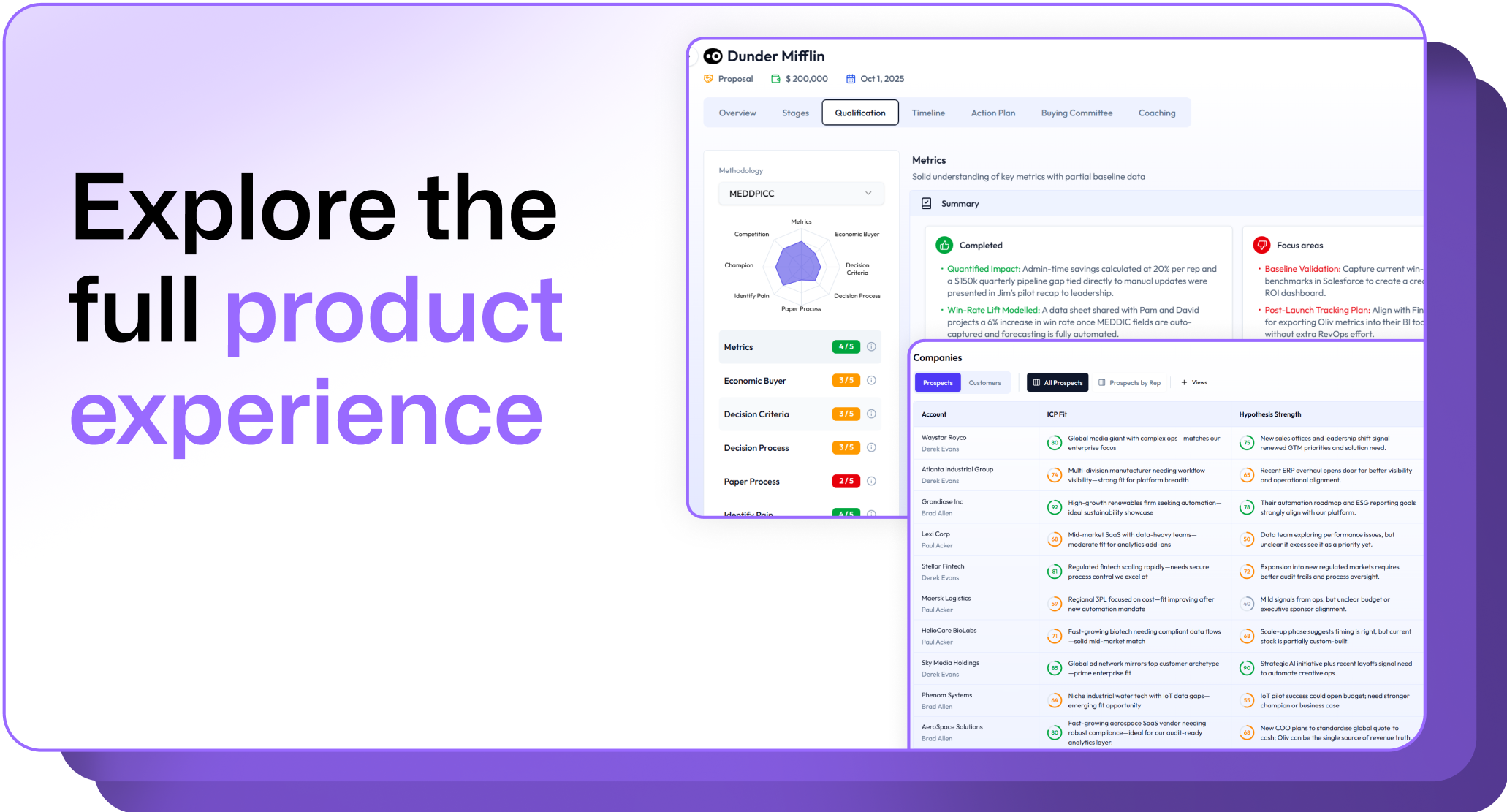
.avif)



.avif)
.avif)